
How to make a chrome text effect


With this example we will learn how to make a chrome text effect.
New File: Take any colored background file as I have here.

Write text: Choose Horizontal type tool (T key) and make formatting to write text as here.


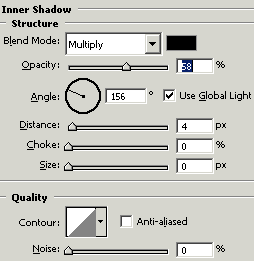
Effects: Go to Layer menu > Layer style > Inner shadow, Bevel and Emboss, use both settings.

This is your final result.
