Home | JSP | EJB | JDBC | Java Servlets | WAP  | Free JSP Hosting  | Spring Framework | Web Services | BioInformatics | Java Server Faces | Jboss 3.0 tutorial | Hibernate 3.0 | XML


Features

Search Host

Monthly Fee($)
Disk Space (MB)
Register With us for Newsletter!
Visit Forum! Post Questions!
Jobs At RoseIndia.net!

Have tutorials?
Add your tutorial to our Java Resource and get tons of hits.

We offer free hosting for your tutorials. and exposure for thousands of readers. drop a mail
roseindia_net@yahoo.com


Tutorials

Java Server Pages

JAXB

Java Beans

JDBC

MySQL

Java Servlets

Struts

Bioinformatics

Java Code Examples

Interview Questions

 
Join For Newsletter

Powered by groups.yahoo.com
Visit Group! Post Questions!

Web Promotion

Web Submission

Submit Sites

Manual Submission?

Web Promotion Guide

Hosting Companies

Web Hosting Guide

Web Hosting

Linux

Beginner Guide to Linux Server

Frameworks

Persistence Framework

Web Frameworks

Free EAI Tools

Web Servers

Aspect Oriented Programming

Free Proxy Servers

Softwares

Adware & Spyware Remover

Open Source Softwares

Design a picture of the sea water.


This example is about a sea water in which we are going to teach you to make a sea water. You all have seen sea water, but here we are going to make it. If you are searching for this type of example, it will be your last search because it is so easy to understand so follow now without losing any moment. 

New File: Firstly you have to create a new file with appropriate size as you required.

Color: Now you have to take color to fill in the file so chosen any color as you like but I have chosen "5493C9" color and filed in the file.

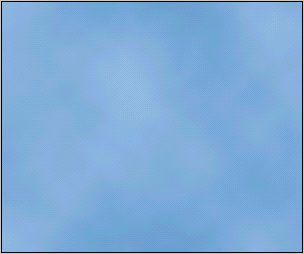
Clouds: Go to Filter Menu > Render > Clouds and hit on OK, your image will look like this.
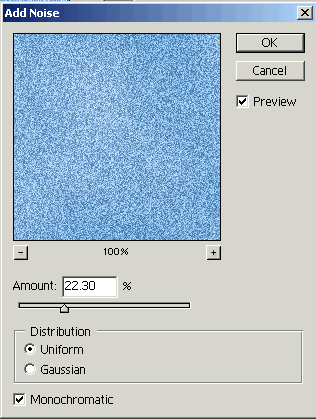
Add Noise: Go to Filter Menu > Noise > Add Noise and use setting.
Motion Blur: Go to Filter Menu > Blur > Motion Blur and make same settings.

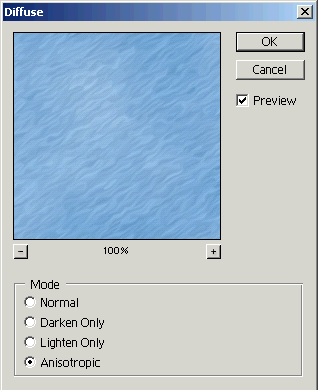
Diffuse: Go to Filter Menu > Stylize > Diffuse and use setting as given below popup menu.
Motion Blur: Go to Filter Menu > Blur > Motion Blur and use setting.
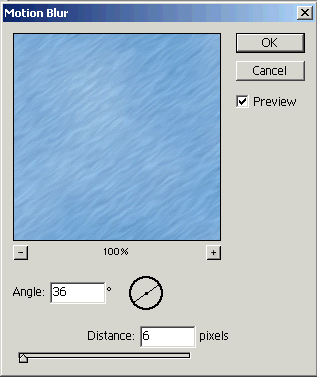
Your final image will look this image.
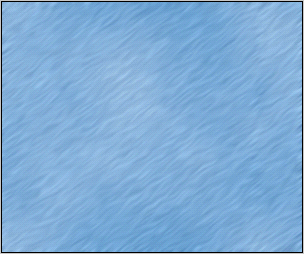
Look here


  JDO Tutorials
  EAI Articles
  Struts Tutorials
  Java Tutorials
  Java Certification
 

Useful Links

Tell A Friend
Your Friend Name
Search Tutorials


RoseIndia.net Join Our Java  News Group

Home | JSP | EJB | JDBC | Java Servlets | WAP  | Free JSP Hosting  | Search Engine | News Archive | Jboss 3.0 tutorial | Free Linux CD's | Forum

About Us | Advertising On RoseIndia.net


Send your comments, Suggestions or Queries regarding this site at roseindia_net@yahoo.com.

Copyright © 2004. All rights reserved.