How to make a shadow effect.


Learn here to make a shadow on any object, you can make it very easy by the help of this tutorial. Each and every step of this example is very clear to understand, I hope you will improve you knowledge with it.
New File: Choose "9E4B1E" color then take a new file with appropriate size.
Text Tool: Select Text Tool (T key) and make formatting then write text as given below.


Bas Relief: Go to Filter Menu > Sketch > Bas Relief and use same setting.

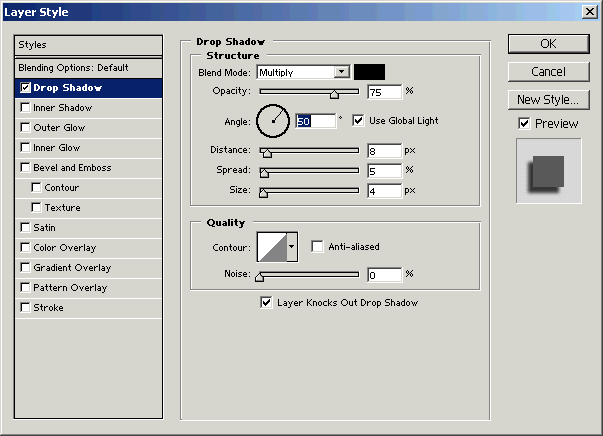
Drop Shadow: Go to Layer Menu > Layer Style > Drop Shadow and use setting as given below popup menu.