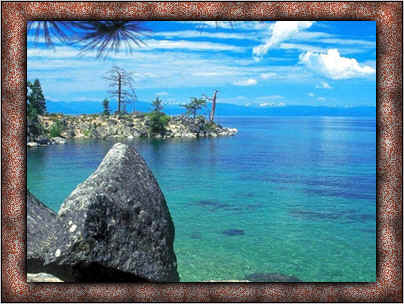
How to design a frame of the picture.


This is a picture frame example, it will help you to make a picture frame easily because it has some simple steps. If you want to learn to design follow these easy steps. I am sure you can make a good design as of your wish.
Let's start now
New File: First take a new file of any size and make adjustment as you want.

Past A Picture: Paste any picture on the file. Open a picture to make frame and make copy then paste on the file.

Selection: Choose rectangular marquee tool (M key) and make a rectangle selection as I have done here.

Inverse: Go to select menu > Inverse (Shft+ctrl+I), the image will look like below image.

Inversed Image: Now press DEL key to delete then your inversed image will look like this.

Inner Shadow: Go to Layer menu >Layer Style > Inner Shadow and make setting as given below.

Bevel and Emboss: Go to Layer menu > Layer Style > Bevel and Emboss and make adjustment as given below in the pop up menu.

Pattern Overlay: Now use pattern to fill in your picture frame as I have selected here.

Your Image: your image will look like this.

Outer Glow: First select picture layer and go to >Layer menu >Layer Style >Outer Glow and adjust setting as I have done here.