How to make an older picture.


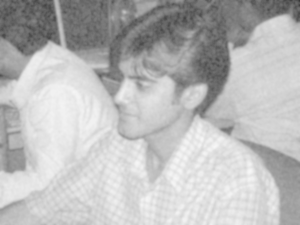
In this tutorial we are going to convert a photograph into a old photo, it is not tough now because you have a golden chance to learn this effect by my this example. It is fully step by step described.
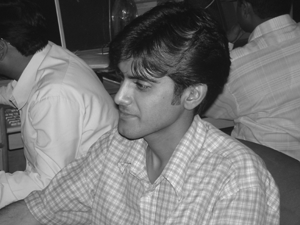
Open a Picture: First we have to open a picture to given a older picture effect.
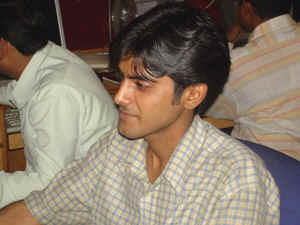
Grayscale: Grayscale is used to make color less picture so apply it, go to Image menu > Mode > Grayscale.
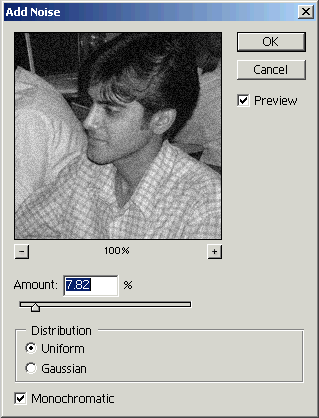
Noise: Go to Filter Menu > Noise > Add Noise and make adjustment as here.
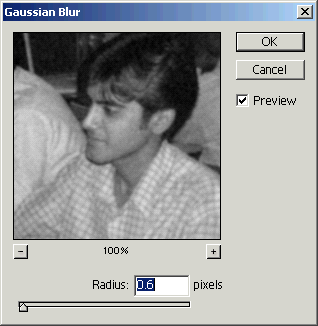
Gaussian Blur: Go to Filter Menu > Blur > Gaussian Blur and make adjustment as I have done here.
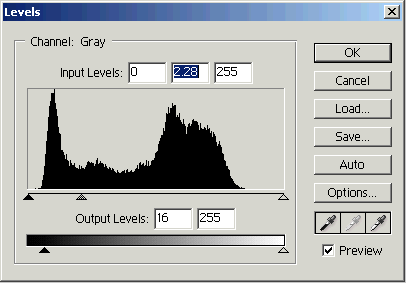
Levels: We can give sharp effect to the picture by the levels option so go to Image Menu > Adjustment > Level and make adjustment as given here.