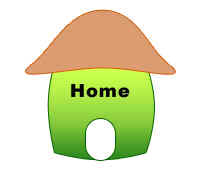
How to design home logo


Now you are going to learn about a home logo design by the help of this example, it has been made by the simple way that will easy understandable to the beginners.
New File: Take a new file with appropriate size then choose "cc9966" color and Ellipse tool (U key) and draw a circle.

Modify the shape: Choose Direct selection tool (A key) and click on the circle shape then adjust points similar as here.

Stroke: Go to Layer Menu > Layer Style > Stroke and use settings as given below.

Rectangle Shape: Choose Rectangular Tool and make a shape with selected "46BB22" color as I have done here.

Direct Selection Tool: Choose Direct selection tool (A key) and click on rectangle shape then adjust point as similar shape as given below.

Effects: Go to Layer Menu > Layer Style > Stroke, Gradient Overlay and use settings.


You will get it.

Rounded Rectangle Shape: Choose Rounded rectangle tool (U key) and make like a door shape with "White" color as given below.

Stroke: Go to Layer Menu > Layer Style > Stroke and use settings.
Write Text: Choose Horizontal type tool (T key) and use formatting as you want, write text.