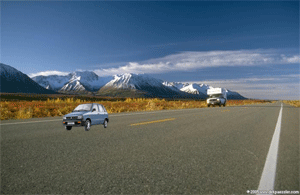
How to insert a car in the picture


This is very interesting example because you will learn here how to insert an object on the another place.
Picture: Take a picture of the road and a car to insert.


Paste: Copy the car picture and paste on the road picture as here.

Decrease size: Press Ctrl + T and decrease size then set any place as I have done here.

Levels: Now Adjust the levels, go to Layer menu > Layer style > Apply Levels.

This is final result.