How to make halo effect


Now get ready to learn a simple way to make a halo effect on the picture, follow to make it.
Take a picture: Capture any picture to give "halo' effect.

Draw a circle: Choose "White" color and Ellipse tool (U key) to draw a circle shape.

Gaussian blur: Go to Filter menu > Blur >Apply Gaussian blur.
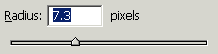
You will get it.

Inner glow: Go to Layer menu > Layer style >Apply Inner glow.
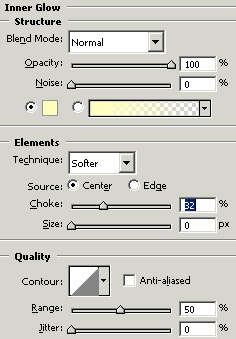
You should have similar as here.