
Maven Repository releases Dependency for software.amazon.awssdk >> chimesdkmeetings >> 2.38.0
The new version software.amazon.awssdk >> chimesdkmeetings >> 2.38.0 is released on 06 Nov 2025.
In this section we will see the use of software.amazon.awssdk >> chimesdkmeetings >> 2.38.0 in the Maven project and learn to add this version of Java Library in the maven based project. In this maven tutorial we see the steps of adding it in the pox.xml file.
The developers of software.amazon.awssdk - chimesdkmeetings project have released the latest version of this library on 06 Nov 2025, the released version of software.amazon.awssdk - chimesdkmeetings library is 2.38.0. Developer can use this version ( software.amazon.awssdk - chimesdkmeetings version 2.38.0 ) in their Java project if it is based on Maven and Gradle.
Table of Contents
- Create Maven Project
- Add Maven Dependency in pom.xml
- Save pom.xml
- Checking library dependency tree
- How to add Gradle dependency?
How to use software.amazon.awssdk - chimesdkmeetings version 2.38.0 in project?
Steps to use software.amazon.awssdk - chimesdkmeetings version 2.38.0 in Java projects. Follow the step by step tutorial for using the latest version of software.amazon.awssdk - chimesdkmeetings in your Maven/Gradle project.
Step 1: Create or use a Maven project
First of all you have to create a new Java project based on maven project management tool if you don't have any previous project. You can download the simple project from Sample Maven project. You can import the sample project in Eclipse IDE or you can open your project in Eclipse or in any other IDE of your choice.
Step 2: Include the maven dependency of software.amazon.awssdk - chimesdkmeetings version 2.38.0
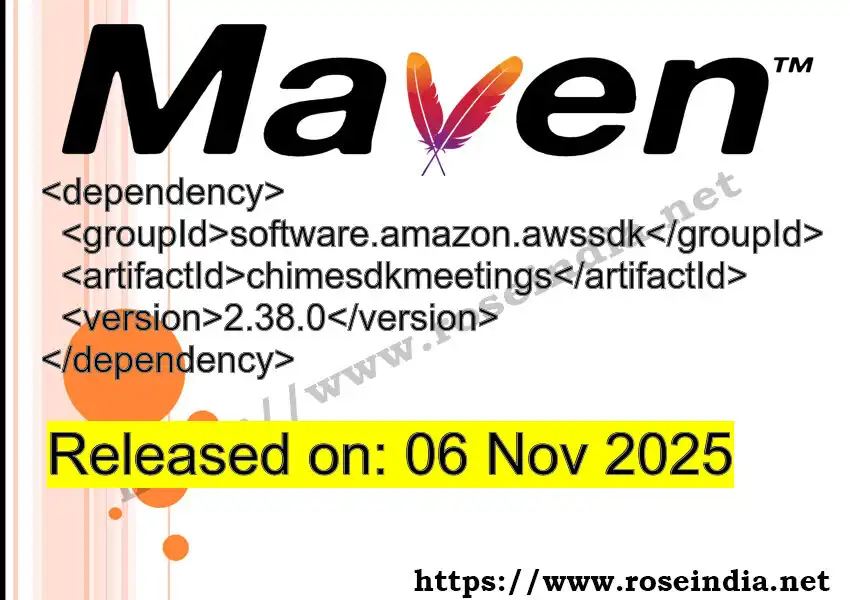
Now the next step is to use the latest dependency for maven of the software.amazon.awssdk - braid library library in the pom.xml fie of your project. You have to copy the code given below:
 <dependency>
 	<groupId>software.amazon.awssdk</groupId>
 	<artifactId>chimesdkmeetings</artifactId>
 	<version>2.38.0</version>
 </dependency>
Above code is the maven dependency code that downloads and includes software.amazon.awssdk - chimesdkmeetings version 2.38.0 java library in your project.
Now you can save the file in Eclipse and then Eclipse will call maven tool for downloading the jar files. Once the jar files are downloaded it will be included in the project and you will be able to use software.amazon.awssdk - chimesdkmeetings version 2.38.0 library in your project.
Step 3: Save pom.xml file - Now you are ready to use the software.amazon.awssdk - chimesdkmeetings version 2.38.0 in your project
The next step is to save the updated pom.xml file. Once you save the file in Eclipse (if using Eclipse) then Eclipse will start downloading the required libraries on your computer. If you are using some other tool or building the project from command line then the dependencies will be downloaded at the build time. Now you will be able to import the library in your project and use it.
Step 4: Finding the maven dependency tree
Sometimes it is required to check the dependency tree of the maven project to find out the jar conflicts, then you can use the Maven dependency plugin. The Maven dependency plugin is used to list down the the dependency in the project. The dependency:tree option of the mvn command line tool can be used to see the dependency tree of the given project. After adding the Maven dependency of software.amazon.awssdk - chimesdkmeetings version 2.38.0 in your pom.xml file you can run following command on the terminal:
mvn dependency:tree
Above command will list down the dependency of your project. This way you will be able to find out any jar conflict issue of the project.
Dependency of Other Build Tools
Gradle Dependency
If you project is based on Gradle then you can use following dependency code:
implementation group: 'software.amazon.awssdk', name: 'chimesdkmeetings', version: '2.38.0'
Above code will enable the Gradle to down software.amazon.awssdk - chimesdkmeetings dependency
jar and include in the project.
SBT Dependency of chimesdkmeetings version 2.38.0
libraryDependencies += "software.amazon.awssdk" % "chimesdkmeetings" % "2.38.0"
Ivy Dependency of chimesdkmeetings version 2.38.0
<dependency org="software.amazon.awssdk" name="chimesdkmeetings" rev="2.38.0"/>
Grape Dependency of chimesdkmeetings version 2.38.0
@Grapes(
    @Grab(group='software.amazon.awssdk', module='chimesdkmeetings', version='2.38.0')
)
Leiningen Dependency of chimesdkmeetings version 2.38.0
[software.amazon.awssdk/chimesdkmeetings "2.38.0"]
Buildr Dependency of chimesdkmeetings version 2.38.0
'software.amazon.awssdk:chimesdkmeetings:jar:2.38.0'
You can read more at: