
Hiding and showing elements on the page


Hiding and showing elements on the page
.hide( )
This method is used to hide the matched elements.
.show( )
This method is used to display the matched elements set.
Example :
Following code hide and show the text by button click :
jqHIdeShowText . html
<!DOCTYPE html>
<html>
<head>
  <style>
  span { background:#D8BFD8; padding:3px; float:left; }
  </style>
  <script src="jquery-1.4.2.js" type="text/javascript"></script>
</head>
<body>
	<button id="hidb">Hide</button>
  <button id="showb">Show</button>
  <div>

    <span>jQuery</span> <span>is</span> <span>easy</span>
    <span>to</span> <span>use</span> <span>and</span>
    <span>gives</span> <span>dynamic output..</span>

  </div>
<script>
    $("#hidb").click(function () {
      $("span:last-child").hide("fast", function () {
        // use callee so don't have to name the function
        $(this).prev().hide("fast", arguments.callee);
      });
    });
    $("#showb").click(function () {
      $("span").show(2000);
    });

</script>
</body>
</html>
|
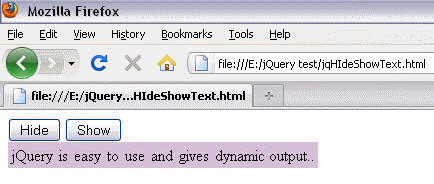
Output :
Before clicking any button:
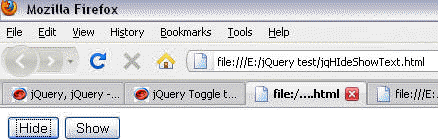
After clicking 'hide' button :
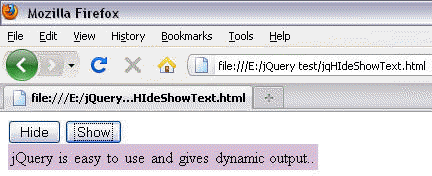
After clicking show button :
Learn from experts! Attend jQuery Training classes.