How to design a lips
Get ready to learn a easy way to draw a lips, this example will help you to make it easy.
New File: Take a new file with appropriate size.
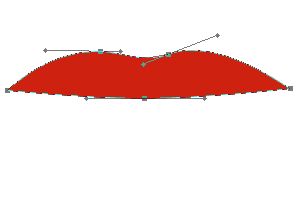
Pen Tool: Choose "cf2413" color and draw a shape by using Pen tool (P key) as looking here.
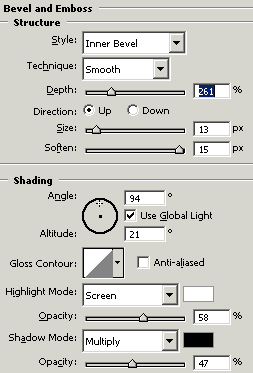
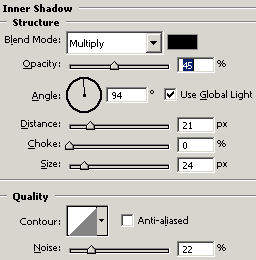
Effects: Go to Layer menu > Layer style > Bevel and Emboss, Inner shadow and Stroke, apply same settings.
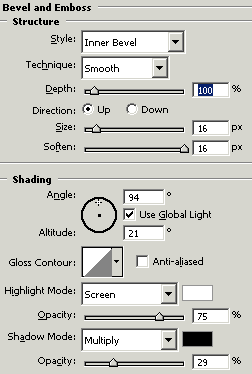
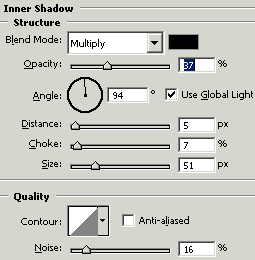
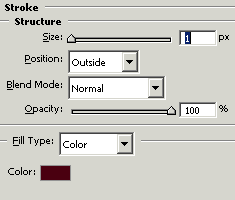
You will get it.
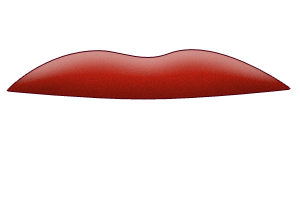
Another Part of Lip: Choose "cf2413" color and Pen tool (P key) and make points.
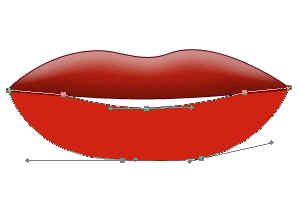
Effects: Go to Layer menu > Layer style > Bevel and Emboss, Inner shadow and Stroke, use settings.
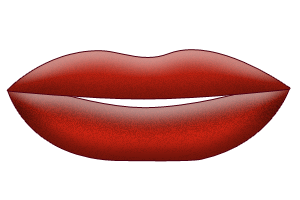
The final result is here.