How to make burn text as a lava


This example will help you to make a burn text as a lava, this example has been described step by step to understand easily.
New File: Take a new file with any size as you like.
Write text: Choose Horizontal type tool (T key) and make formatting to write text.


Gaussian blur: Go to Filter menu > Blur >Apply Gaussian blur.

You text will look like this.

Draw a fire shape: Choose "d45529" color and Pen tool (P key) to make points to make this shape.

Gaussian blur: Go to Filter menu > Blur >Apply Gaussian blur.
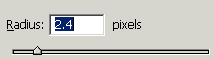
You will have similar as here.

Effect: Go to Layer menu > Layer setting >Apply Inner glow.

You will get it.

Level: Go to Image menu > Adjustment >Apply Level.

It is your final result.