Sending an email in JSP


Sending an email in JSP
In this section, you will learn how to send an email in jsp.
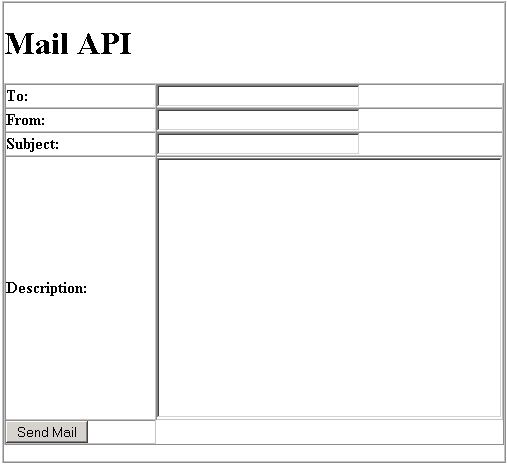
Following is a simple JSP page for sending an email using javax mail APIs. The first jsp page that displays an email form containing the to, from addresses, subject and its descriptions. A "Send Mail" command button when you click that button then it will send your given information to from address.
Note: You must be need mail.jar or activation.jar files in your applications. Whenever you could not be hold in your "WEB-INF/lib" then your application is not word perfectly and displays an error.
Here the code of JSP: mailAPI.jsp
<html>
<head>
<title>Mail API</title>
</head>
<body>
<table border="1" width="50%"  cellpadding="0" cellspacing="0">
  <tr>
  <td width="100%">
  <form method="POST" action="mail.jsp">
  <table border="1" width="100%" cellpadding="0" cellspacing="0">
  <h1>Mail API</h1>
  <tr>
  <td width="50%"><b>To:</b></td>
  <td width="50%"><input type="text" name="to" size="30"></td>
  </tr>
  <tr>
  <td width="50%"><b>From:</b></td>
  <td width="50%"><input type="text" name="from" size="30"></td>
  </tr>
  <tr>
  <td width="50%"><b>Subject:</b></td>
  <td width="50%"><input type="text" name="subject" size="30"></td>
  </tr>
  <tr>
  <td width="50%"><b>Description:</b></td>
  <td width="50%"><textarea name="description" type="text"
    cols="40" rows="15" size=100>
  </textarea>
  </td>
  </tr>
  <tr>
  <td><p><input type="submit" value="Send Mail" name="sendMail"></td>
  </tr>
  </table>
  </p>
  </form>
  </td>
  </tr>
</table>
</body>
</html>
Here the code of JSP: mail.jsp
<%@ page language="java" import="javax.naming.*,java.io.*,javax.mail.*,
javax.mail.internet.*,com.sun.mail.smtp.*"%>
<html>
<head>
<title>Mail</title>
</head>
<body>
<%
try{
  Session mailSession = Session.getInstance(System.getProperties());
  Transport transport = new SMTPTransport(mailSession,new URLName("localhost"));
  transport.connect("localhost",25,null,null);
  MimeMessage m = new MimeMessage(mailSession);
  m.setFrom(new InternetAddress(%><%request.getParameter("from")%><%));
  Address[] toAddr = new InternetAddress[] {
  new InternetAddress(%><%request.getParameter("to")%><%)
  };
  m.setRecipients(javax.mail.Message.RecipientType.TO, toAddr );
  m.setSubject(%><%request.getParameter("subject")%><%);
  m.setSentDate(new java.util.Date());
  m.setContent(%><%request.getParameter("description")%><%, "text/plain");
  transport.sendMessage(m,m.getAllRecipients());
  transport.close();
  out.println("Thanks for sending mail!");
}
catch(Exception e){
  out.println(e.getMessage());
  e.printStackTrace();
}
%>
</body>
</html>
Output:
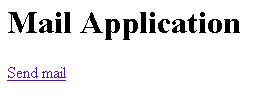
After running this application you get:
When you click "Send mail" Then you get:
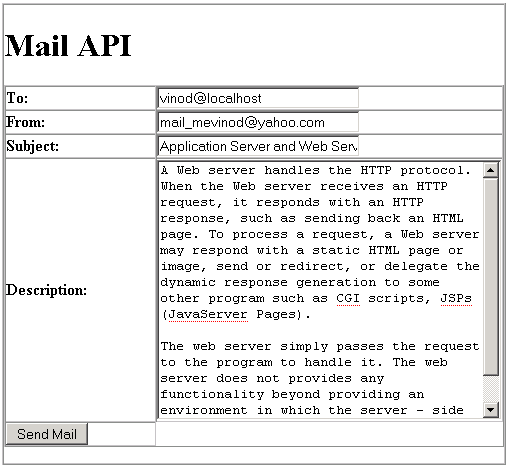
Fill the following details and click the "Send Mail" command button:
Then you get: