Jsp Choose


In this section, you will learn how to use JTSL choose tag.
In the given example, the c:if tag is used for a decision need, to be made in the page. If the result of processing the test using the EL Expression pageContext.request.method=='POST' is true, the body of the tag is processed otherwise it is skipped. In order to make a multi-way choice, we have used c:choose JTSL tag. You can include any number of c:when clauses but a single c:otherwise tag that will generate the template text if the entered value equals anything else, inside a c:choose tag. Here we prompt the user to enter only vowels, if the entered value is vowel, it will return true otherwise false.
Here is the code of choose.jsp
| <%@ taglib uri="http://java.sun.com/jstl/core" prefix="c" %> <html> <body> <c:if test="${pageContext.request.method=='POST'}">You have entered: <c:choose> <c:when test="${param.choose=='a'}">true value <br /> </c:when> <c:when test="${param.choose=='e'}">true value <br /> </c:when> <c:when test="${param.choose=='i'}">true value <br /> </c:when> <c:when test="${param.choose=='o'}">true value <br /> </c:when> <c:when test="${param.choose=='u'}">true value <br /> </c:when> <c:otherwise> false value <br /> </c:otherwise> </c:choose> </c:if> <form method="post">Enter only vowels: <input type="text" name="choose" /> <input type="submit" value="Submit" /> <br /> </form> </body> </html> |
Output will be displayed as:

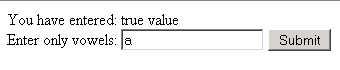
If you enter any vowel and click button, it will display the text that the entered value is true:
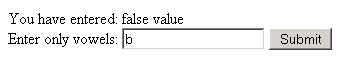
But if you enter any alphabet or number other than vowels, it will display the text that you have entered false value: