Create a Table in Mysql database through SQL Query in JSP


This is detailed java code to connect a jsp page to
mysql database and create a table of given name in the specified database.
Create a database : First create a database named 'usermaster' in mysql and create table "user_master". Create an application directory named 'user' in the Tomcat. Before running this java code you need mysql connector jar in the Tomcat-6.0.16/webapps/user/WEB-INF/lib directory.
Creating JSP pages:
In this example, we have created two JSP pages. First page is to provide link to create table and the next page for processing the table creation.
1. welcome_to_database_query.jsp
2.create_table.jsp
1. welcome_to_database_query.jsp
<!DOCTYPE HTML PUBLIC "-//W3C//DTD HTML 4.01 Transitional//EN"
"http://www.w3.org/TR/html4/loose.dtd">
<%@ page import="java.sql.*" %> <%@ page import="java.io.*" %> <html>
<head>
<title>Create table in mysql database using jsp</title>
</head>
<body>
<TABLE style="background-color: #ffffcc;">
<TR>
<TD align="center"><h2>To create
table click on the link given below</h2></TD>
</TR>
<TR>
<TD align="center"><A HREF="create_table.jsp">
<font size="+2" color="blue">create table</font>
</TR>
</TABLE>
</body>
</html>
|
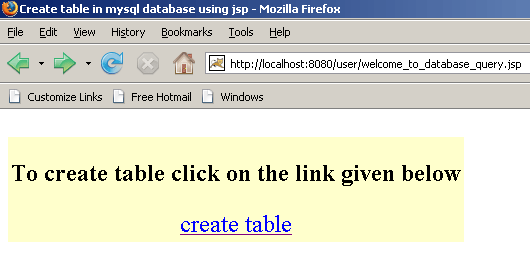
Save this code as a .jsp file named "welcome_to_database_query.jsp" in the directory Tomcat-6.0.16/webapps/user/. You can run this jsp page typing http://localhost:8080/user/welcome_to_database_query.jsp url in address bar of the browser.
2.create_table.jsp
<!DOCTYPE HTML PUBLIC "-//W3C//DTD HTML 4.01 Transitional//EN"
"http://www.w3.org/TR/html4/loose.dtd">
<%@ page import="java.sql.*" %>
<%@ page import="java.io.*" %>
<html>
<head>
<title>display data from the table using jsp</title>
</head>
<body>
<%
/* Create string of connection url within specified
format with machine name, port number
and database name. Here machine name id localhost
and database name is usermaster. */
String connectionURL = "jdbc:mysql://localhost:3306/usermaster";
// declare a connection by using Connection interface
Connection connection = null;
// declare object of Statement interface that is used for
// executing sql statements.
Statement statement = null;
try {
// Load JBBC driver "com.mysql.jdbc.Driver".
Class.forName("com.mysql.jdbc.Driver").newInstance();
/* Create a connection by using getConnection() method
that takes parameters of string type connection url, user
name and password to connect to database. */
connection =
DriverManager.getConnection(connectionURL, "root", "root");
/* createStatement() is used for create statement object
that is used for sending
sql statements to the specified database. */
statement = connection.createStatement();
// sql query to retrieve values from the secified table.
String QueryString =
"create table user_master(id int not null auto_increment,name " +
"varchar(25),city varchar(20), primary key(id));";
// execyteUpdate() mothod execute specified sql query.
statement.executeUpdate(QueryString);
%> <TABLE border="0" style="background-color: #ffffcc;">
<TR>
<TD align="center" ><font size="+3" color="green">Congratulations !
</font></TD>
<tr><TD align="center" ><font size="+2">Table of specified name is
created successfully.</font>
</TD></tr>
</TR>
<% } catch (Exception ex) {%>
<TABLE border="0" style="background-color: #ffffcc;">
<TR>
<TD align="center" ><font size="+3" color="red">Some problems
to create table.</font></TD>
</TR>
<% } finally {
// close all the connections.
statement.close();
connection.close();
}
%><tr><td align="center" >
<A HREF="welcome_to_database_query.jsp">
<font size="5" color="blue">back to home page</font></A></td>
</tr> </TABLE>
</body>
</html>
Save this code with name "create_table.jsp" in the directory Tomcat-6.0.16/webapps/user/. This jsp code creates table of specified name in the mysql database and shows a response page.

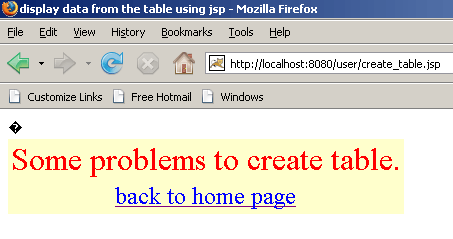
If table exists already or found any error to make connection with database then shows an error page.