
JavaScript Remove Spaces
|
|
In this section, yow will learn how to remove spaces from the string.
To remove the spaces, we have simply used JavaScript methods split() and join(). Now to use these methods, we have defined a string. Firstly the split(" ") method splits the string into an array of strings. It takes the string argument, therefore the method enclosed a pair of double quotes which allow the string to be split. Then the method join("") join all the elements of an array into a string. As this method contains a parameter 'separator' which adds all array elements by placing the separator between them. In our example, to make the original string spaces less, first we split the original string by spaces using split(' ') and then join all elements with no space string using join('').
Here is the code:
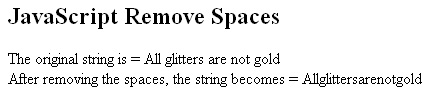
| <html> <h2>JavaScript Remove Spaces</h2> <script language="javascript" type="text/javascript"> var string="All glitters are not gold"; var newString=string.split(' ').join(''); document.write("The original string is = "+string+"<br>"); document.write("After removing the spaces, the string becomes = "+newString); </script> </html> |
Output will be displayed as:


Tutorials
- Java 26 (JDK 26) Features with examples
- Top 10 Reasons to Learn Java in 2026
- JDK 26 Tutorial
- Java Certification Roadmap 2026: Which Oracle Certs Matter
- Install JDK 26: A Complete Beginner's Guide (2026)
- What Is Java? A Complete, Up-to-Date Guide for 2026
- Java 26 HTTP3 tutorial - HTTP 3 support in JDK 26 - How to use HTTP/3 in Java 26 application?
- JDK 28 Preview: Value Objects, Shenandoah GC & JSON API
- Java Tutorials