
JavaScript duplicate string
|
|
We can create a strings duplicate string with the use of JavaScript's duplicate method. In this example code we have called the duplicate method on the text range object to create a duplicate copy of that text and then it will be displayed through the alert() method. This method duplicate is applied to the "textrange". Syntax for using the duplicate method is as follows:
Syntax :
| TextRangeObject.duplicate(); |
Note : This method works well in the Internet Explorer.
Description of code :
In this html page we have created an html page with the one text box and one button. When button is clicked it takes the value from the text box and it creates the text range and thereafter we have called the duplicate() method on it. When button is clicked it calls the method duplicateFunc() method defined in the JavaScript.
 function duplicateFunc() {
      var textValue = txt.createTextRange();
      if(textValue.duplicate().text==""){
	alert("No text to display");
      }
      else{
	alert(textValue.duplicate().text);
      }
   }
|
Very first line of the function creates a textValue variable which holds the element reference to the specified text range. In the second and third line we have checked the condition that whether created duplicate copy of text field value is empty, if it is empty it will float an alert message that "No text to display". Full html code for this example is given as below :
duplicateString.html
<html>
<head>
<title>
JavaScript dupliacte string
</title>
<script language="JavaScript">
function duplicateFunc() {
var textValue = txt.createTextRange();
if(textValue.duplicate().text==""){
alert("No text to display");
}
else{
alert(textValue.duplicate().text);
}
}
</script>
</head>
<body>
<p align="center"> </p>
<div style="background: #3388ff; width:'100%';" align="center">
<font color="#ffffcc" size="12pt"><b>JavaScript
duplicate string</b></font></div>
<center>
<div style="width:'100%';" align="center">
<input type="text" id="txt" value="" />
<br>
<button id="myButton" onclick="duplicateFunc();">
Create Duplicate String</button>
</div>
</center>
</body>
</html>
|
Output :
Page will be like as below :
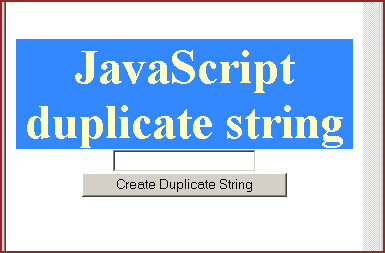
Input some text into text field to create a duplicate copy of it and press button "Create Duplicate String".


Tutorials
- Java 26 (JDK 26) Features with examples
- Top 10 Reasons to Learn Java in 2026
- JDK 26 Tutorial
- Java Certification Roadmap 2026: Which Oracle Certs Matter
- Install JDK 26: A Complete Beginner's Guide (2026)
- What Is Java? A Complete, Up-to-Date Guide for 2026
- Java 26 HTTP3 tutorial - HTTP 3 support in JDK 26 - How to use HTTP/3 in Java 26 application?
- JDK 28 Preview: Value Objects, Shenandoah GC & JSON API
- Java Tutorials