
Immutable Image MIDlet Example


This is the immutable image example, which shows how to create a immutable image in MIDlet. In this example we are creating a image without using of canvas. Following methods are used in the source code:
- Image image = Image.createImage("/mobile.png");
- Image image1 = Image.createImage("/phone.png");
- form.append(new ImageItem(null, image, ImageItem.LAYOUT_NEWLINE_BEFORE | ImageItem.LAYOUT_CENTER | ImageItem.LAYOUT_NEWLINE_AFTER, null));
- form.append(new ImageItem(null, image1, ImageItem.LAYOUT_NEWLINE_BEFORE | ImageItem.LAYOUT_CENTER | ImageItem.LAYOUT_NEWLINE_AFTER, null));
The Application is as follows:
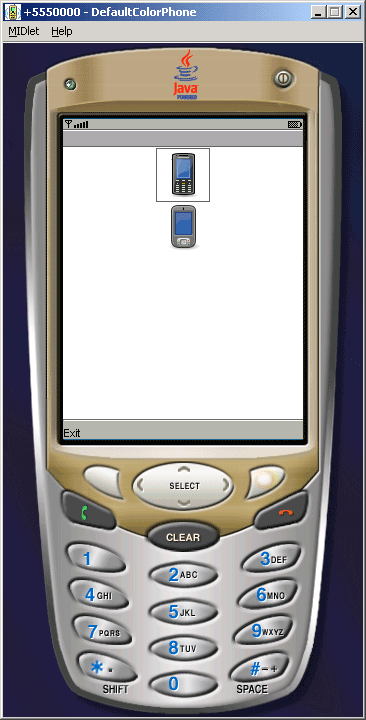
Source Code of ImutableImage.java
import javax.microedition.midlet.*;
import javax.microedition.lcdui.*;

public class ImutableImage extends MIDlet  implements CommandListener{
  private Display display;
  private Form form;
  private Command exit;

  public void startApp() {
  display = Display.getDisplay(this);
  exit = new Command("Exit", Command.EXIT, 1);
  form = new Form("");
  form.addCommand(exit);
  form.setCommandListener(this);
  try {
  Image image = Image.createImage("/mobile.png");
  Image image1 = Image.createImage("/phone.png");
  form.append(new ImageItem(null, image, ImageItem.LAYOUT_NEWLINE_BEFORE
  | ImageItem.LAYOUT_CENTER | ImageItem.LAYOUT_NEWLINE_AFTER, null));
  form.append(new ImageItem(null, image1, ImageItem.LAYOUT_NEWLINE_BEFORE
   | ImageItem.LAYOUT_CENTER | ImageItem.LAYOUT_NEWLINE_AFTER, null));
  display.setCurrent(form);
  }catch (java.io.IOException e){
  System.err.println(e);
  }
  display.setCurrent(form);
  }

  public void pauseApp(){}

  public void destroyApp(boolean unconditional){
  notifyDestroyed();
  }

  public void commandAction(Command c, Displayable s){
  String label = c.getLabel();
  if (label.equals("Exit")){
  destroyApp(false);
  }
  }
}