
Content Filter


Content Filter
The Content Filter filters the Dom Elements according to the content. Given below the types of content filters :
: contains() Selector
It filters the elements which have the matched text.
Example :
<script>$("div:contains('Ankit')").css("text-decoration", "underline");</script>
It filters the div which have 'Ankit' as text and underline them.
: empty SelectorIt filters the elements which are empty. Here empty means they don't have children or text.
Example :
<script>$("td:empty").text("Was
empty!").css('background', 'rgb(255,220,200)');</script>
It filters all the 'td' element which don't have any child or text and fill it with text "Was empty" and change it's background color.
:has() Selector
It filters the elements which contains the element provided to ' has() '.
Example :
<script>$("div:has(p)").addClass("test");</script>
It filters all the 'div' elements which have 'p' (paragraph) inside it and add the css class 'test' to it.
: parent Selector
It selects all the elements that have at least one child including text .
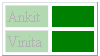
Example : (ContentFilter.html)
<!DOCTYPE html> |
Output :
Learn from experts! Attend jQuery Training classes.