
Dojo StackContainer


In this section, you will learn about the StackContainer with example.
Try Online: Stack Container
StackContainer : This is a container that has more children, but displays only one child at a time (look the pages in a book one by one). This container is a good for wizards, slide shows, and long listing or text blocking.
Here is the code of Program:
<html>
<head>
<title>Stack Container Demo</title>
  <style type="text/css">
  @import "../resources/dojo.css";
  @import "../dijit/themes/tundra/tundra.css";

  </style>
  <script type="text/javascript" src="dojo.xd.js"
    djConfig="parseOnLoad: true"></script>
  <script type="text/javascript">
  dojo.require("dojo.parser");
  dojo.require("dijit.layout.ContentPane");
  dojo.require("dijit.layout.StackContainer");
  dojo.require("dijit.form.Button");
 </script>
</head>
<body class="tundra">
  <button id="previous"
onClick="dijit.byId('mainTabContainer').back()"><<-Previous</button>
  <button id="next" onClick="dijit.byId('mainTabContainer').forward()">
   Next->></button>
  <div id="mainTabContainer" dojoType="dijit.layout.StackContainer"
 style="width: 90%; border:1px solid #9b9b9b; height: 10em;
 margin: 0.5em 0 0.5em 0; padding: 0.5em;">
  <p id="Page1" dojoType="dijit.layout.ContentPane" label="Intro">
  Page First
  </p>

  <p id="Page2" dojoType="dijit.layout.ContentPane">
  Page Second.
  </p>
  <p id="Page3" dojoType="dijit.layout.ContentPane" >
  Page Third.
  </p>
 </div>
</body>
</html>
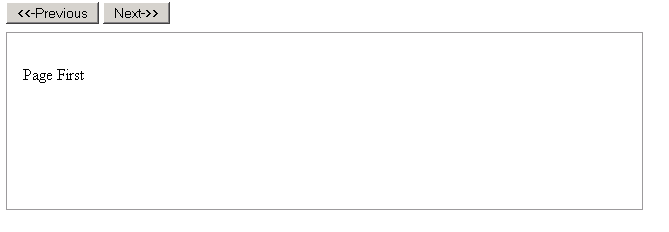
Output of the Program:
Whenever you click the "Previous" command button the you get the previous pages and click the "Next" command button then you get next pages of the stack container.
Try Online: 