Home Photoshop Tutorials How to design a golf boll, design a golf boll, a golf boll


How to design a golf boll, design a golf boll, a golf boll
Posted on: April 18, 2011 at 12:00 AM
This page discusses - How to design a golf boll, design a golf boll, a golf boll

How to design a golf boll


In this example we are going to teach you to design a golf button, follow now these simple steps.

New File: Take a new file with any size as you want.

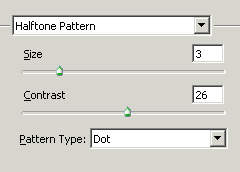
Halftone Pattern: Go to filter menu > Sketch > Apply Halftone Pattern as given below.
Make Selection: Choose Elliptical Marquee Tool (M key) and make selection then copy as I have done here.
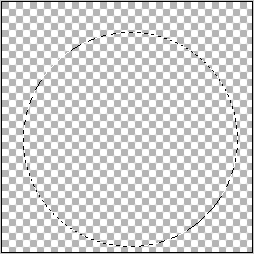
New File: Take a new file again and past your copy selection.
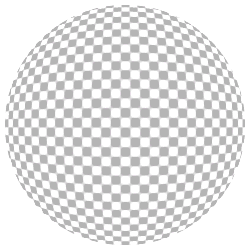
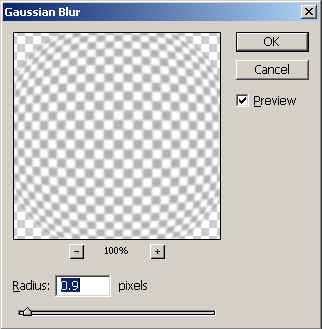
Gaussian Blur: Go to Filter menu > Blur > Gaussian Blur as given below.
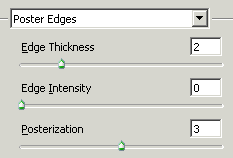
Poster Edges: Filter Menu > Artistic > Poster Edges and use settings as given below.
Gaussian Blur: Use gaussian blur again.

Lighting Effect: Go to Filter Menu > Render > Lighting Effect use these settings as given below.

Your final image will look like this.

Final Result

Related Tags for How to design a golf boll, design a golf boll, a golf boll:


More Tutorials from this section

Ask Questions?    Discuss: How to design a golf boll, design a golf boll, a golf boll  

Post your Comment


Your Name (*) :
Your Email :
Subject (*):
Your Comment (*):
  Reload Image


Ask Questions?

If you are facing any programming issue, such as compilation errors or not able to find the code you are looking for.

Ask your questions, our development team will try to give answers to your questions.