In the JavaScript array we can implement the Queue by using the push() and shift() methods. It is a very simple way to implement queues.

JavaScript array queue


In the JavaScript array we can implement the Queue by using the push() and shift() methods. It is a very simple way to implement queues. Queue is a data structure of type FIFO( First In First Out) so we can implement Queue by using push() method which add the new element to the array by the backside and removes element or POP element from the front side by using the method shift().
In the following example we have Pushed or adds element by calling a method ArrayQueuePush() and Popped or removes array elements by the method ArrayQueuePop().
| function ArrayQueuePush(arrayName,arrayElement){ arrayName.push(arrayElement); } function ArrayQueuePop(arrayName){ arrayName.shift(); } |
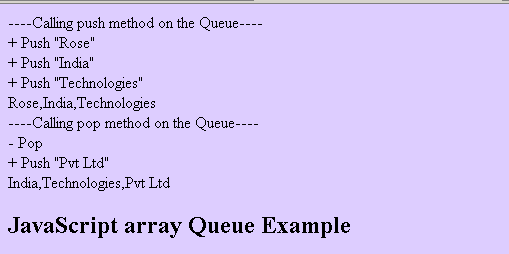
Here is the example program which will demonstrate you how to implement Queue by using the JavaScript array methods as follows:
javascript_array_queue.html
| <html> <head> <title> JavaScript array Queue </title> <script type="text/javascript"> var arr = new Array(); function ArrayQueuePush(arrayName,arrayElement){ arrayName.push(arrayElement); } function ArrayQueuePop(arrayName){ arrayName.shift(); } document.writeln("----Calling push method on the Queue----</br>"); ArrayQueuePush(arr,"Rose"); document.writeln("+ Push \"Rose\"</br>"); ArrayQueuePush(arr,"India"); document.writeln("+ Push \"India\"</br>"); ArrayQueuePush(arr,"Technologies"); document.writeln("+ Push \"Technologies\"</br>"); document.writeln(arr+"</br>"); document.writeln("----Calling pop method on the Queue----</br>"); ArrayQueuePop(arr); document.writeln("- Pop </br>"); ArrayQueuePush(arr,"Pvt Ltd"); document.writeln("+ Push \"Pvt Ltd\"</br>"); document.writeln(arr+"</br>"); </script> </head> <body bgcolor="#ddcdff"> <h2> JavaScript array Queue Example </h2> </body> </html> |
Output of example: