TabbedPanel (Ajax Tag) Example


In this section, you will learn about the tabbedPanel tag. This is an Ajax component, where each tab is either a local content or a remote content (refreshed each time when user selects that tab).
To use tabbedPanel tag, the head tag must be included on the jsp page and must be configured for performance or debugging purposes. However, If you want to use the cookie feature then you must provide a unique id for the tabbedpanel component. This is used for identifying the name of component that is stored by the cookie.
Add the following code snippet into the struts.xml
file.
struts.xml
|
<?xml version="1.0" encoding="UTF-8" ?> <!DOCTYPE struts PUBLIC "-//Apache Software Foundation//DTD Struts Configuration 2.0//EN" "http://struts.apache.org/dtds/struts-2.0.dtd"> <struts> <!-- Rose India Struts 2 Tutorials --> <constant name="struts.enable.DynamicMethodInvocation" value="false" /> <constant name="struts.devMode" value="true" /> <package name="roseindia" namespace="/roseindia" extends="struts-default"> <action name="TabbedPanel"> <result>/pages/tabbedpanel.jsp</result> </action> <!-- Add actions here --> </package> <!-- Add packages here --> </struts> |
Create a jsp using the tag <s:tabbedPanel>. This tag
is used for creating the tabs.
tabbedPane.jsp
|
<%@ taglib prefix="s" uri="/struts-tags" %> <html> <head> <s:head theme="ajax" debug="true"/> </head> <body> <table border="1" width="50%"> <tr> <td width="100%"> <s:tabbedPanel id="test" > <s:div id="one" label="Tab 1" theme="ajax" labelposition="top" > This is the first panel. RoseIndia.nt<br> JavaJazzUp.com<br> NewsTrackIndia.com </s:div> <s:div id="two" label="Tab 2" theme="ajax"> This is the second panel. </s:div> <s:div id="three" label="Tab 3" theme="ajax"> This is the third panel.<br> Java Tutorial<br> PHP Tutorial<br> Linux Tutorial </s:div> <s:div id="four" label="Tab 4" theme="ajax"> This is the forth panel. </s:div> </s:tabbedPanel> </td> </tr> </table> </body> </html> |
Output:
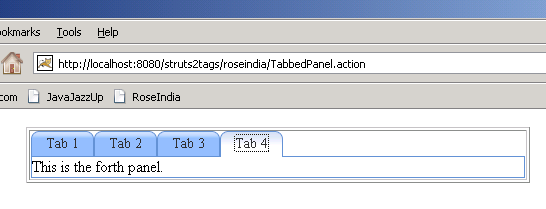
When you run the above example, you get the output as:

When you click the "Tab 2" then you get the content of "Tab 2" as shown:

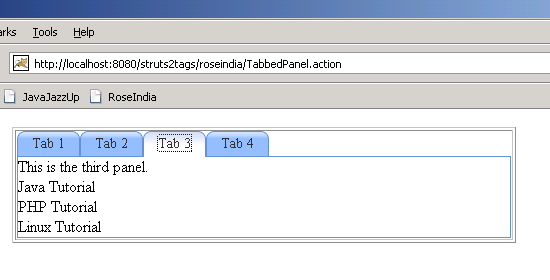
If you click "Tab 3" then you get the content of "Tab 3" as shown:
If you click the "Tab 4" you get the content of "Tab 4" as: