How to make a torn picture
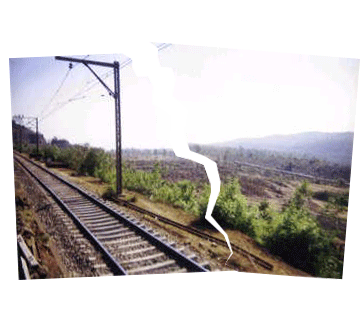
You might have seen a torn paper, now you can make it in the photoshop with the help of this example so follow.
Take a Picture: Take a picture of any place as I have taken here.

Selection: Choose Polygonal Lasso Tool (M key) and make a selection as looking at this image.

Cut Selection: Now Copy or cut you selected area.

New File: Take a new file with increased size as your picture size, past you copied as I have done here.

Inverse: Go to Select Menu >Apply Inverse, the rest part of the picture will automatically select then copy.
Take a new layer and past now in you new file as given below.

You will have this picture.

Now choose one layer and press Ctr + T and make adjustment as I have done here.

Now select second layer and Ctr + T and make adjustment as looking down.

Your will get this picture.