Home Jsp Simple-jsp-example Throwing an Exception


Throwing an Exception
Posted on: March 12, 2008 at 12:00 AM
All methods use the throw statement to throw an exception. The throw statement requires a single argument a throwable object. Here is an example of a throw statement.

Throwing an Exception


All methods use the throw statement to throw an exception.  The throw statement requires a single argument a throwable object. Here is an example of a throw statement. 

The code of the program is given below:

<html>
    <head>
        <title>Throwing an Exception in jsp</title>
    </head>
        <body>
        <FONT SIZE="5" COLOR="#660066">Throwing an Exception in jsp<br></FONT>
        <%
        try {
            throw new ArrayIndexOutOfBoundsException
            ("Array index out of bounds Exception!");
        } catch(ArrayIndexOutOfBoundsException e) {
            out.println("<br><b>Exception message: </b>" + e);
        }
        %>
    </body>
</html>

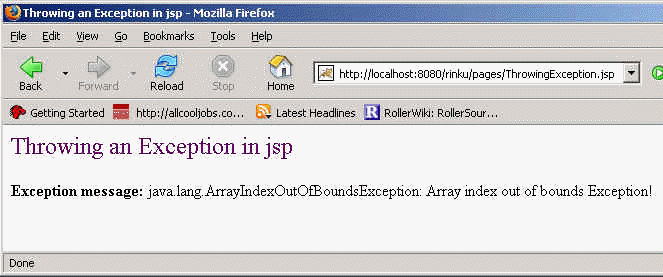
Output of the Program:

Download this example.

Related Tags for Throwing an Exception:
cexceptionuiobjectiomethodsmethodstaterowexamplestatementtoexamrequiresingleargumentethrowuseceinstamntjesthrowableemallmehrobjxaxampsatowaisirllmplexceptarstatssthstababljepleplodsono


More Tutorials from this section

Ask Questions?    Discuss: Throwing an Exception  

Post your Comment


Your Name (*) :
Your Email :
Subject (*):
Your Comment (*):
  Reload Image


Ask Questions?

If you are facing any programming issue, such as compilation errors or not able to find the code you are looking for.

Ask your questions, our development team will try to give answers to your questions.