Method in Declaration Tag


In Jsp we define methods just like as declare them in standalone applications. In jsp we have been provided a such a tag where we can declare methods and variables. Anything which will be declared inside this tag will be applicable within the whole application. We call this tag a Declaration Tag. The syntax of this tag is <%! --------- %>.
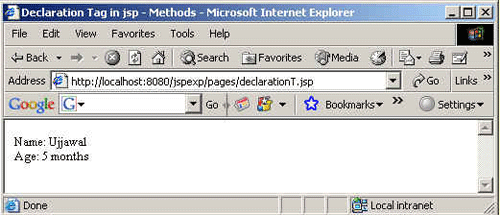
In this simple jsp program we are declaring two methods getName() of type String and the second one named as getAge() which is of int type. These two methods are declared inside the declaration tag so, that these methods can be accessed from anywhere in the class. The values of these methods are accessed by using the out implicit object, which is responsible for writing the content to the browser.
The code of the program is given below:
<%!
  private String getName()
  {
    return "Ujjawal";
  }
  private int getAge()
  {
    return 5;
  }
%>
<HTML>
  <HEAD><TITLE>Declaration Tag in jsp - Methods</TITLE></HEAD>
<%
 out.println ("Name: "+getName()+"<br>");
 out.println ("Age: "+getAge()+" months");
 %>
  </HTML>
|
Output of the Program: