
JSF outputFormat Tag


This section illustrates you about the JSF outputFormat tag. This tag is used for showing output with the parameterized text that facility allows you to customize the appearance of the text using CSS styles also. This tag value has been parameterized by using the JSF Core param tag what you can learn after some sections, under the outputFormat tag.
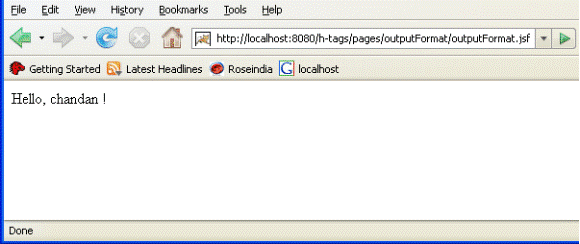
Here, an example is also provided for the best illustration about the JSF outputFormat tag. You will seen in the following example that value of the tag is "Hello, {0} !". Following program will show the output like "Hello, chandan !" because "Hello, " already mentioned as the value of the param tag that has been calling in the outputFormat tag by passing parameter like "{0}".
You can show the output text from other resources by mentioning the backing bean value in param tag.
Code Description:
<%@ page contentType="text/html" %>
<%@ taglib uri="http://java.sun.com/jsf/html" prefix="h" %>
<%@ taglib uri="http://java.sun.com/jsf/core" prefix="f" %>

<f:view>
<html>
     <head><title>jsf h:outputFormat example</title></head>

     <body>
          <h:outputFormat value="Hello, {0} !">
               <f:param value="chandan"/>
          </h:outputFormat>
     </body>
</html>
</f:view> |
Rendered Output:
This is the image of the rendered output for the above mentioned JSF program when it is run on the browser.
HTML Source Code:
Browser generates html code for your JSF proram like:
<html> <head><title>jsf h:outputFormat example</title></head> <body> Hello, chandan ! </body> </html> |
All attributes of this tag are explained as follows:
- converter: This attribute sets a converter instance to be registered for the component. This instance must match the converter-id value of a converter element that is defined in the faces-config.xml file.
- escape: This attribute sets a boolean flag value that determines if sensitive HTML and XML characters should be escaped in the output generated by the component. It's default value is "true".
- id: This attribute sets the identification of the component uniquely. The value of the attribute must be unique in the closest.
- rendered: This attribute take a boolean flag value that indicates the component whether or not should be rendered in the view.
- style: If you want ot add any CSS with the component then you can put the style as the value of the attribute. Added CSS will be applied on for the component.
- styleClass: This attribute holds the CSS class name which is defined in the external style sheet.
- title: This attribute holds a string value that is shown as a tool-tip text of a component or element.
- value: This attribute sets the current value for the component.