JavaScript method big()


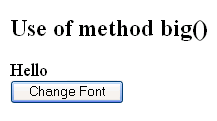
This section illustrates you the use of JavaScript method big(). The big() method allows you to display the specified string in a big font. You can see in the given example that we have used the method big() that will change the font of the specified string. We have create a button which calls the function changeFont() from the script and displays the string in big font .
Here is the code:
| <html> <script> function changeFont(){ var text = document.getElementById("small").innerText; document.getElementById("small").innerHTML = text.big(); } </script> <h2>Use of method big()</h2> <div id="small">Hello</div> <button onclick="changeFont()">Change Font</button> </html> |
Output will be displayed as:
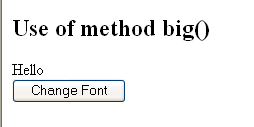
On clicking the button, you will see the string with changed font: