
JavaScript resizeBy() method


We can resize window by using the method resizeBy(). It resizes the window into the specified pixels passed as parameters to this method.
Syntax :
| window.resizeBy( width, height ); |
where width and height both are necessary and these can be any positive or negative number. It denotes width and height in pixels.
Description of code:
To illustrate the use of resizeBy() method we have created a simple HTML page into which we have created two input boxes for taking width and height values by the user. We also have created a button "Resize Window" which calls the function resizeWindow() on mouse click event. This function is defined in <script></script> tags.
 function resizeWindow(){
   var wdth =document.getElementById("txtWidth").value;
   var hgt =document.getElementById("txtHeight").value;
   window.resizeBy(wdth,hgt);
 }
|
In above lines of code we have first taken width and height input values into the two variables wdth and hgt and thereafter we will set the window size by these width and height values accordingly by using method.
| window.resizeBy(wdth,hgt); |
Full example code is as given below :
<html>
<body>
<script language="JavaScript">
 function resizeWindow(){
   var wdth =document.getElementById("txtWidth").value;
   var hgt =document.getElementById("txtHeight").value;
   window.resizeBy(wdth,hgt);
 }
</script>
<div style="background: #ff9900; width:'100%';"
          align="center">
  <font color="#0000ff" size="12pt">
	<b>ResizeBy Example</b>
  </font>
 </div>
  <center>
   <div style="background: #0099ff; width:'100%';"
        align="center">
    <form id="userForm" >
     <p>Width <input type="text" id="txtWidth" /></p>
     <p>Height<input type="text" id="txtHeight" /></p>
     <p> <input type="button" value="Resize Window"
           onClick="resizeWindow()"/></p>
    </form>
   </div>
 </center>
</body>
</html>
|
Output :
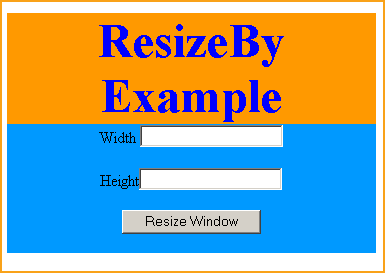
Input width and height into text boxes to resize window.
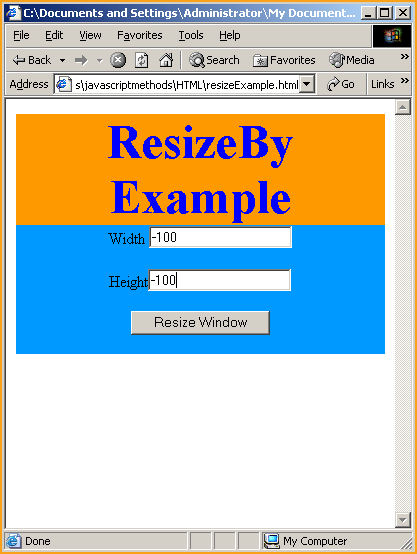
Again resizing window you can see the difference.


You can also download full code from the following link