JavaScript deleteTFoot method


In the HTML table if we want to delete the table footer then we can delete this table footer by calling the JavaScript method with the table object. Syntax for using deleteTFoot() method is as follows:
Syntax:
| tableObject.deleteTFoot(); |
Description of code:
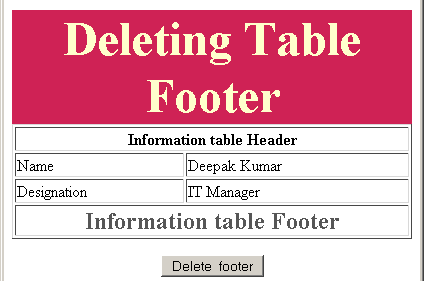
In this sample example code we have created an html page which consists an html table with one header and one footer and we also have one button "Delete footer" who calls the JavaScript method "deleteTableFooter()". It gets element table object with the method getElementById() and then we can call the method deleteTFoot() on it.
deleteTFootExample.html
| <html> <body> <script language="JavaScript"> function deleteTableFooter() { var footer = document.getElementById('table').deleteTFoot(); } </script> <p align="center"> </p> <div style="background: #cf2255; width:'100%';" align="center"> <font color="#ffffcc" size="12pt"><b>Deleting Table Footer</b></font></div> <center> <table id="table" border="1" width="400"> <thead> <th colspan="2"> Information table Header </th> </thead> <tr> <td>Name</td> <td>Deepak Kumar</td> </tr> <tr> <td>Designation</td> <td>IT Manager</td> </tr> <tfoot> <th colspan="2"> <font color="#565656" size="5pt"> Information table Footer </font> </th> </tfoot> </table> </center> <p> <center> <input type="button" value="Delete footer" onclick="deleteTableFooter(); this.disabled='true'"> </center> </p> </body> </html> |
Output: