
JavaScript add namespace


In this section, we are going to create the namespace using the JavaScript.
In the given example, we have created two objects Util and Coll. By creating the objects for each namespace, we can add the functions as methods to these objects. Here we have added the functions add() and sub() to the Util object. And the functions mul() and div() to the Coll object. By using Util.add(), Util.sub(), Coll.mul() and Coll.div(), we can call the methods globally on the page as we have done here
Here is the code:
| <html> <h2>Use of Namespaces</h2> <script> var Util = { add: function() { alert("This is addition method."); }, sub: function() { alert("This is subtraction method."); } } var Coll = { mul: function() { alert("This is multiplication method."); }, div: function() { alert("This is division method."); } } </script> <input type="button" onClick="Util.add();" value='Add'> <input type="button" onClick="Util.sub();" value='Subtract'> <input type="button" onClick="Coll.mul();" value='Multiply'> <input type="button" onClick="Coll.div();" value='Divide'> </html> |
Output will be displayed as:
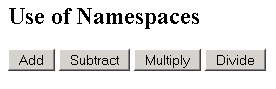
On clicking the button, you will get the alert messages.