
Apache Spark 4 JDK requirements - Java version required to run Apache Spark 4
Apache 4 is released with many new features and advancements, and to provide support for modern AI/ML models development. In this section we will see the JDK requirements for running Apache Spark 4. Apache Spark 4 runs on Windows, Linux and MacOS. You can also use Docker to run Apache Spark 4 on different operating systems. On all these operating systems you need Java and Python to run Apache Spark 4 code. Lets see which version of Java /JDK is required to run Apache Spark 4.x.
Here is Java requirements for running Apache Spark 4.x:
Java/JDB Requirements:
- Java 17: Apache Spark 4.x requires Java 17
- Java 21: Apache Spark 4.x can run on Java 21
JRE Requirements:
- Jre 17: Apache Spark 4.x needs Jre 17
- Jre 21: Apache Spark 4.x needs Jre 21
Scala Requirements:
Scala is another programming language which is often used by developers to write Apache Spark programs. Here is the Scalca version requirements:
- Scala 2.13
Python Requirements:
Apache Spark 4 also supports Python programming language and is used by developers around the globe to quickly develop programs that run on Apache Spark cluster. Here is the list of Python supported by Apache Spark 4.x:
- Python 3.9+
How to install Java 17 and 21 on Ubuntu 24.04?
You can easily install it using the apt installer on Ubuntu. Here is apt command to install open JDK 17 on Ubuntu 24.04:
sudo apt install openjdk-17-jdk
Here is the screenshot of the process:

After entering "Y" and pressing "Enter" button install will start and install open JDK 17 on Ubuntu 24.04.
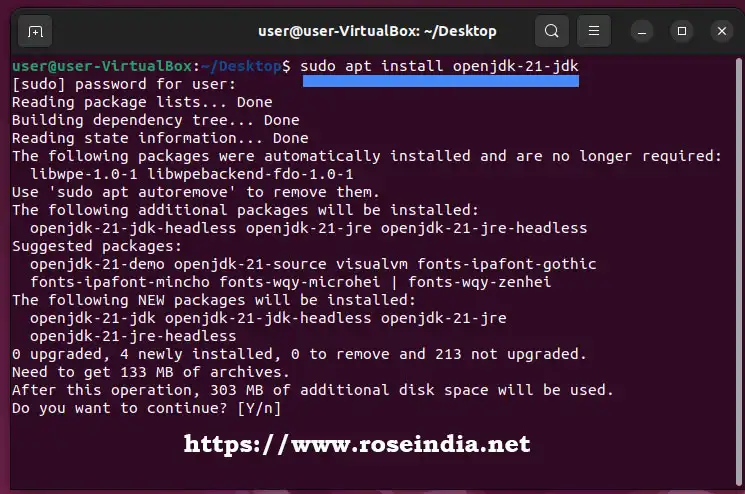
To install Open JDK 21 you can run following apt install command:
sudo apt install openjdk-21-jdk
Here is the screenshot of installation of Open JDK 21 on Ubuntu 24.04.
After installation you can check Java version installed on your computer by running following command in terminal:
java --version
Above command gives following output:
user@user-VirtualBox:~/Desktop$ java --version

openjdk 21.0.7 2025-04-15

OpenJDK Runtime Environment (build 21.0.7+6-Ubuntu-0ubuntu122.04)

OpenJDK 64-Bit Server VM (build 21.0.7+6-Ubuntu-0ubuntu122.04, mixed mode, sharing)
Here is screen shot:

In this section we have discussed the Java version required to run Apache Spark 4.0.