
JSF outputLink Tag


This is the outputLink which show the output text holding a link of a page or a website location. This link is similar from the link created by the JSF commandLink tag text. But the main difference between the commandLink tag and the outputLink tag is as follows:
The outputLink tag is used for the direct navigation from the current page to another page or a website while the commandLink tag is also used for passing values to the faces-config.xml file to navigate another page of your application by specifying the location of the page in faces-config.xml file. Code for the outputLink has been given as follows:
Code Description:
<%@ page contentType="text/html" %> |
Above code will display a hypertext with the link of the anotherpage.jsp that exists in the same directory. Here, you will see the mentioned file has ".jsf" extension because the value of the url-pattern attribute is *.jsf like <url-patter>*.jsf</url-pattern> in the web.xml file as you can see. If you mention the file name with the jsf extension for the jsp page, controller understand itself by reading the value of the url-pattern attribute of the web.xml file.
Rendered Result:
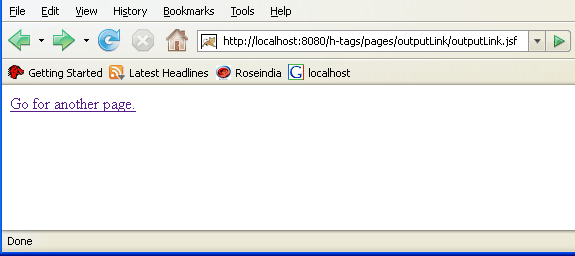
HTML Source Code:
<html> <head><title>jsf h:outputLink example</title></head> <body> <a href="anotherpage.jsf">Go for another page.</a> </body> </html> |
All attributes of the outputLink tag are explained below:
- accesskey: This is an attribute of the outputLink tag that sets the key by pressing that key you can transfer the focus on the specific element or a component.
- binding: This attribute sets or gets values from the property of a backing bean by the value-binding expression accepted by the attribute of the outputLink tag.
- charset: This attribute sets the character encoding for the document linked to by the hyperlink.
- coords: When you use the link with a client-side image map then this attribute sets the position and shape of the spot on screen. Whatever has to be viewed.
- converter: This attribute sets a converter instance to be registered for the component. This instance must match the converter-id value of a converter element that is defined in the faces-config.xml file.
- dir: This attribute sets the direction of the text. Value of the attribute is "LTR" means left-to-right and "RTL" means right-to-left.
- hreflang: This attribute sets the language for the document linked to by the hyperlink.
- id: This attribute sets the value to identify the component uniquely. It's value will be unique within the closest container.
- lang: This attribute sets language code for using in the markup generated by the component.
- onblur: This attribute sets JavaScript code to execute when the component loses the focus.
- onclick: This attribute sets JavaScript code to execute when the component is clicked.
- ondblclick: This attribute sets JavaScript code to execute when the component is double clicked.
- onfocus: This attribute sets JavaScript code to execute when the component receives the focus.
- onkeydown: This attribute sets JavaScript code to execute when a key is pressed down over the component.
- onkeypress: This attribute sets JavaScript code to execute when a key is pressed or released over the component.
- onkeyup: This attribute sets JavaScript code to execute when a key is released over the component.
- onmousedown: This attribute sets JavaScript code to execute when the mouse pointer is pressed over the component.
- onmousemove: This attribute sets JavaScript code to execute when the mouse pointer is moved within the component.
- onmouseout: This attribute sets JavaScript code to execute when the mouse pointer is moved away from the element or the component.
- onmouseover: This attribute sets JavaScript code to execute when the mouse pointer is moved onto the component.
- onmouseup: This attribute sets JavaScript code to execute when the mouse pointer is released over the component.
- rel: This attribute identifies the relationship from the current document to the anchor specified by the hyperlink. It's value is link types separated by space.
- rev: This attribute identifies the reverse link from the anchor specified by the hyperlink to the current document. It's value is link types separated by space.
- rendered: This attribute take a boolean flag value that indicates the component whether or not should be rendered in the view.
- shape: This attribute sets the shape of the hotspot for viewing on the screen during the client side image mapping. It's some valid value is "rect" for the rectangular region, "default" for the entire region, "circle" for the circular region and "poly" for the polygonal region.
- style: If you want ot add any CSS with the component then you can put the style as the value of the attribute. Added CSS will be applied on for the component.
- styleClass: This attribute holds the CSS class name which is defined in the external style sheet.
- tabindex: This attribute sets the tab index for the component. When you press the TAB key then the component will be focused after focusing all those components whose tab index is less than the component.
- target: This attribute set the identification of a frame in which the resource has to be displayed that is linked to by the hyperlink.
- title: This attribute holds a string value that is shown as a tool-tip text of a component or element.
- type: This attribute sets the content type of the resource linked to by the hyperlink.
- value: This attribute sets the value i.e. the "href" value that has to be linked from the current document to by the hyperlink.
