
The contentType Attribute of page Directive In JSP


This section gives you the best illustration about the contentType attribute of the page directive in JSP. This attribute specifies the MIME type and the character encoding i.e. used for the JSP response. The default MIME type is "text/html" and the default character set is "ISO-8859-1". You can also specify other.
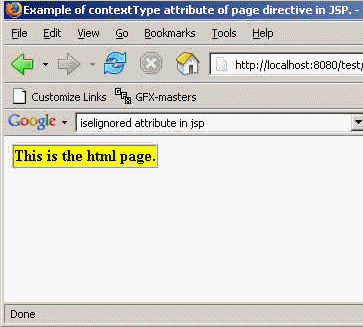
In this section, two JSP files have been provided for showing different result after setting the different values of the contentType attribute of the page directive in JSP. Here, the value of the attribute in the ContentTypeAttribute1.jsp is "text/html". So, the page shows a table in the html format while the value of the attribute in the ContentTypeAttribute2.jsp is "text/xml". So, the ContentTypeAttribute2.jsp shows the complete html code of the jsp file in the xml format.
Here is the JSP code of ContentTypeAttribute1.jsp file:
<%@page contentType="text/html" %>
     <html>
	<head><title>Example of contextType attribute of page directive in JSP.</title></head>
		<body>
		<table border="1" cellspacing="0" cellpadding="0" bgcolor="ffff00">
			<tr>
				<td><strong>This is the html page.</strong></td>
			</tr>
		</table>
	</body>
</html>
Output of the ContentTypeAttribute1.jsp file:
Here is the JSP code of ContentTypeAttribute2.jsp file:
<%@page contentType="text/xml" %>
      <html>
      <head><title>Example of contextType attribute
of page directive in JSP.</title></head>
      <body>
  <table border="1" cellspacing="0" cellpadding="0" bgcolor="ffff00">
 <tr>
	<td><strong>This is the xml page.</strong></td>
 </tr>
	</table>
</body>
</html>
Output of the ContentTypeAttribute2.jsp file:
