Home Windows8 How to Create User Account in Windows 8 with Windows live ID


How to Create User Account in Windows 8 with Windows live ID
Posted on: December 10, 2012 at 12:00 AM
If you have installed the latest version of operating system .i.e. Windows 8 on your PC and already have a Windows live ID, here, you will learn how to create an user account in Windows 9 using your windows live ID.

If you have installed the latest version of operating system .i.e. Windows 8 on your PC and already have a Windows live ID, here, you will learn how to create an user account in Windows 9 using your windows live ID.


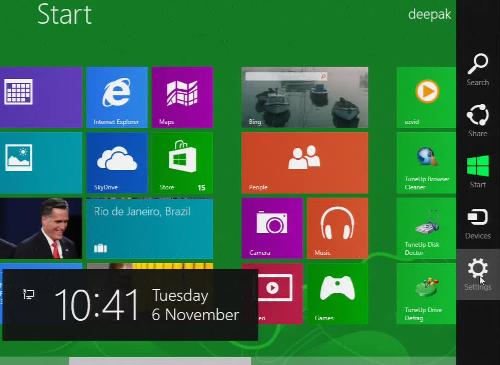
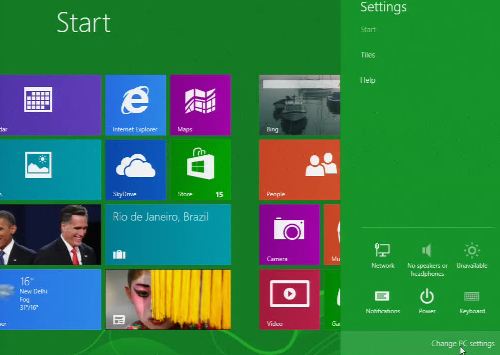
1. To start with, first go to the settings menu from the Metro style interface of windows 8 that will direct you to the PC Settings menu.
Windows 8 Add Live User


Windows 8 Add Live User


Windows 8 Add Live User

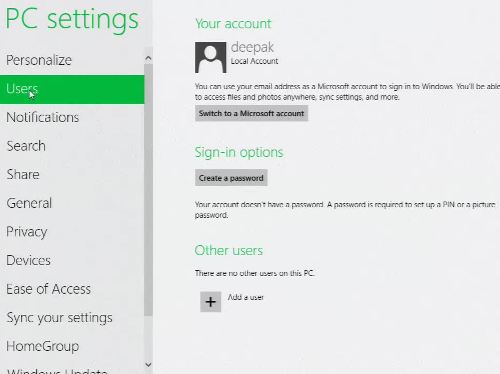
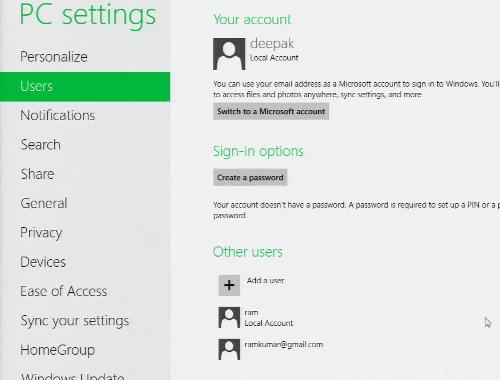
2. Now, go the Users options in PC settings menu.
Windows 8 Add Live User

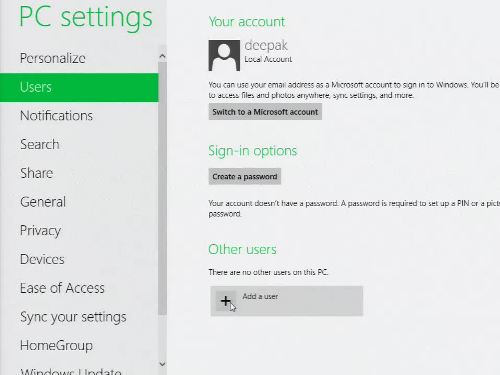
3. Click to the 'Add a user' button below.
Windows 8 Add Live User 

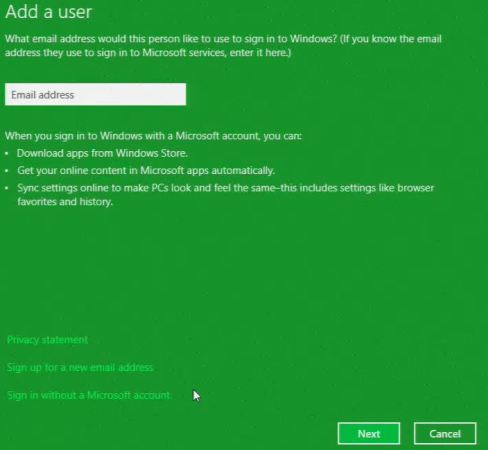
4. Once you click to the Add a user, you will be directed to next step where you will see a address bar to enter your e-mail address.
Windows 8 Add Live User

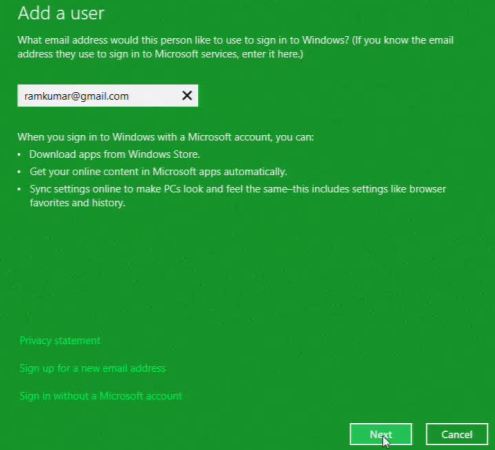
5. Now enter your valid and registered Windows live ID in the e-mail address bar and click to the Next button below.
 

Windows 8 Add Live User 

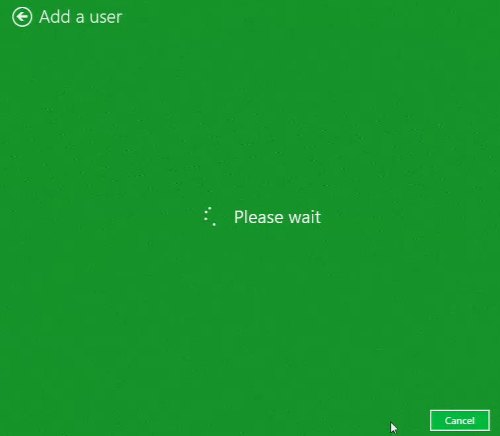
6. Wait while you e-mail id is added for creating the user account.
Windows 8 Add Live User 

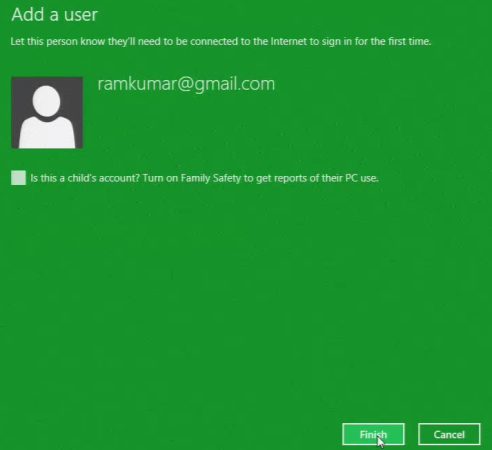
7. Once you e-mail id is added you will need internet connection to sign in for the first time. Click to finish button below.
Windows 8 Add Live User

8. You have now successfully created your user account using your Windows live ID and now you can safely sign in with your newly created user account.
Windows 8 Add Live User 


Related Tags for How to Create User Account in Windows 8 with Windows live ID:


More Tutorials from this section

Ask Questions?    Discuss: How to Create User Account in Windows 8 with Windows live ID  

Post your Comment


Your Name (*) :
Your Email :
Subject (*):
Your Comment (*):
  Reload Image


Ask Questions?

If you are facing any programming issue, such as compilation errors or not able to find the code you are looking for.

Ask your questions, our development team will try to give answers to your questions.