
Download Struts 2.1.8, Downloading and installing Struts 2.1.8


In this section we will learn how to download and then install Struts 2.1.8.
The latest version of Struts 2.1.8 can be downloaded from Struts website http://struts.apache.org/download.cgi.
Downloading Struts 2.1.8:
Visit the url http://struts.apache.org/download.cgi and then download struts-2.1.8.1-all.zip file. Save the download into your computer c: or d: driver.

Extracting the content:
Now you can use the winzip to extract the content of struts-2.1.8.1-all.zip file. After extracting the file you will get following files/Directories:
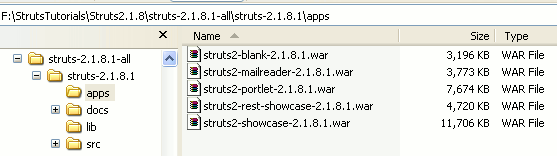
The apps directory contains:
a) struts2-blank-2.1.8.1.war - Blank Struts 2.1.8 application,
can use used to start the blank application
b) struts2-mailreader-2.1.8.1.war - Struts 2.1.8 mail reader
application demo
c) struts2-portlet-2.1.8.1.war - Struts 2.1.8 portlet
application
d) struts2-rest-showcase-2.1.8.1.war - Example to use the REST
services
e) struts2-showcase-2.1.8.1.war - Struts 2.1.8 showcase
applications.
Other directories are docs, lib and src.
Installing struts2-blank-2.1.8.1.war on tomcat 6 server:
Install the blank application on Tomcat simple copy the file
struts2-blank-2.1.8.1.war into webapps directory of the tomcat.
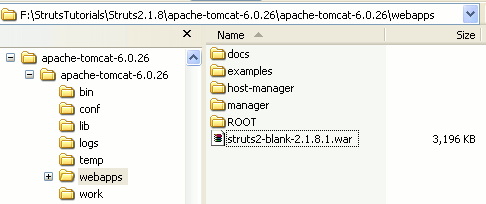
Then run the tomcat and type http://localhost:8080/struts2-blank-2.1.8.1 in the browser. It should display the "Struts is up and running ..." message on the browser.
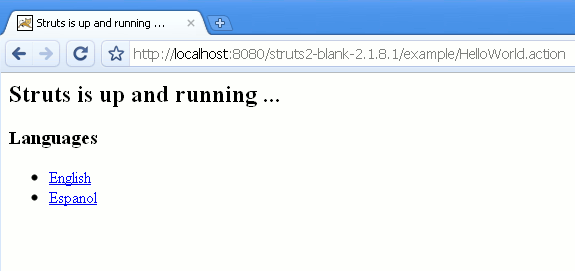
In this section we downloaded and installed Struts 2.1.8 blank application on Tomcat (apache-tomcat-6.0.26. In the next section we will explore the struts2-showcase-2.1.8.1.war application.