Listing HTTP Headers


In this example we are going to list the headers of the HttpServletRequest object. This can be done very easily by using the jstl core library.
We are using the <c: forEach> tag. The items in the header get stored in the attribute var of the jstl core library. Now the value will be displayed to the user by using the core library tag <c: out>. In the first tag <c:out> tag we will call the key associated with the attribute var defined in the <c: forEach> and maps it with the value of the attribute var defined in the <c: forEach> core library tag.
The code of the program is given below:
| <%@ taglib prefix="c" uri="http://java.sun.com/jstl/core" %> <html> <head> <title>Listing HTTP headers</title> </head> <body> This page has the following HTTP headers:<br /> <table> <c:forEach var="httpheaders" items="${header}"> <tr><td><c:out value="${httpheaders.key}" /></td><td><c:out value="${httpheaders.value}" /></td></tr> </c:forEach> </table> </body> </html> |
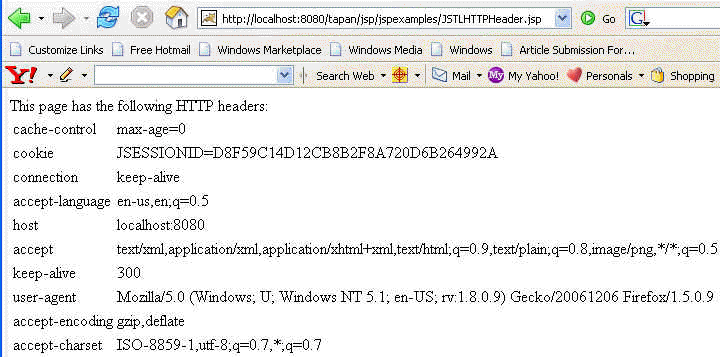
The output of the program is given below: