<jsp:useBean> in JSP


Syntax: <jsp:useBean id= "nameOfInstance" scope= "page | request | session | application" class= "package.class" type= "package.class > </jsp:useBean>.
Bean is a reusable component which mostly contains the setter and getter values, we also called it as mutators.
The <jsp:useBean> is a standard action element used to locate or instantiates a JavaBeans component. Firstly <jsp: useBean> tries to locate an instance of the Bean class if found its fine, if not then it will instantiates it from a class. The name of the bean is same as we have given in id attribute of <jsp:useBean>. If the object reference doesn't exist with the name we have specify then it will create a instance and find the scope of the variable, class attributes defines the bean class and type attribute defines the parent class or interface of the Bean class.
The body of a <jsp: useBean> action often contains<jsp:setProperty> elements that sets the property values in the Bean class. The child tags of the <jsp:useBean> will only processed if the <jsp:useBean> instantiates the Bean. The child tags of <jsp:useBean> are:
<jsp:setProperty name = "nameOfBeanInstance" property="*" | propertyName ("parameterName") | value=string | <%= expression%> >
<jsp:getProperty name="nameOfBeanInstance" property="propertyName"/>
Scope of <jsp:useBean>
1. page: It means that we can use the Bean within the JSP page.
2. request: It means that we can use the Bean from any JSP page processing the same request.
3. session: It means that we use the Bean from any Jsp page in the same session as the JSP page that created the Bean.
4. application: It means that we use the Bean from any page in the same application as the Jsp page that created the Bean.
The code of the program is given below:
//MyBean.java
   public class MyBean {
        // Initialize with random values
        int prop1 = (int)(Integer.MAX_VALUE*Math.random());
        String prop2 = ""+Math.random();

            public int getProp1() {
            return prop1;
        }
        public void setProp1(int prop1) {
            this.prop1 = prop1;
        }

            public String getProp2() {
            return prop2;
        }
        public void setProp2(String prop2) {
            this.prop2 = prop2;
        }
    }

        //UseBean.jsp
    <jsp:useBean id="myBean" class="Mybean.MyBean" scope="session" >
                <jsp:setProperty name="myBean" property="name" value=" James" />
				<jsp:setProperty name="myBean" property="address"
 value=" 007,Gali No.2" />
    </jsp:useBean>
      <%--  <jsp:getProperty name="myBean" property="name" />
    <jsp:getProperty name="myBean" property="address" /> --%>
	The name is<%= myBean.getName()%> <br>
	The address is<%= myBean.getAddress() %>
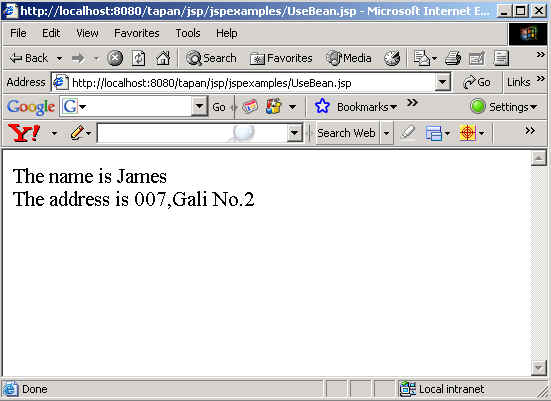
The output of the program is given below: