JavaScript submit method


We can submit forms in following two ways in an HTML page:
- By using submit button
- Submitting form programmatically using JavaScript.
In this part of JavaScript methods tutorial we are going to describe you the second way of form submission i.e. submitting form programmatically using the JavaScript method "submit()". Syntax for using the submit() method is as follows :
Syntax:
| document.formname.submit(); |
Where formname is the name of the form which is to be submitted.
Description of code:
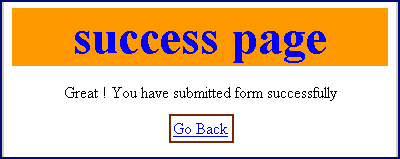
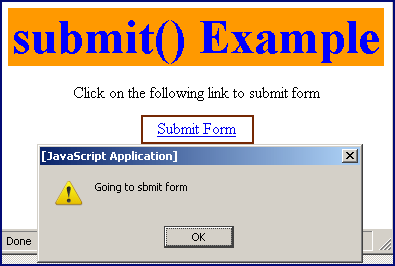
To illustrate the submit() method we have created a form named "frm". When we click on the link in this form, it calls the function submitForm() defined in the <script> tags. This function at last submits the form by calling submit() method with the form element reference object and simultaneously it moves to the "SuccessPage.html" as we have defined in the action attribute of the form tag. Full HTML code is as follows :
submitExample.html
<html>
 <head>
 <title>submit() method example</title>
 <script language="JavaScript">
	function submitForm()
	{
	  alert("Going to sbmit form");
	  document.frm.submit();
	}
 </script>
</head>
<body>
 <div style="background: #ff9900; width:'100%';"
       align="center">
  <font color="#0000ff" size="12pt">
	<b>submit() Example</b>
  </font>
 </div>
  <center>
    <form name="frm" action="SuccessPage.html">
      <p>Click on the following link to submit form</p>
      <a href="javascript: submitForm();">Submit Form</a>
    </form>
  </center>
 </body>
</html>
|
SuccessPage.html
<html>
 <head>
   <title>Submission success page</title>
 </head>
<body>
<div style="background: #ff9900; width:'100%';"
     align="center">
  <font color="#0000ff" size="12pt">
	<b>success page</b>
  </font>
 </div>
<center>
<p>Great ! You have submitted form successfully</p>
<a href="javascript:history.go(-1);">Go Back</a>
</center>
</body>
</html>
|
Output:
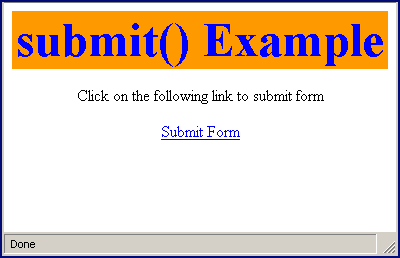
Click on the link "Submit Form"
It goes to the SuccessPage.html as a result to the submission of form. We can also come back to the previous page by clicking on the link "Go Back".