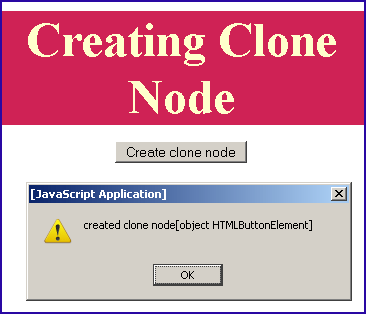
JavaScript cloneNode example


As it is clear with its name that it clones the node. JavaScript cloneNode() method creates a clone copy of the given node object and returns the clone node object. In our this sample code we have created a clone node copy of the button object.
Syntax:
| elementObject.cloneNode(boolean); |
It accepts only one argument of boolean type which is not mandatory. If its value is "false" it doesn't include the child nodes and if its "true" then it will include the child nodes as well.
Description of code:
In our example code for creating a clone of given node object we have created a page in which we have included a button with the id "button" when user clicks on it then it calls functionClone(), which is defined in our JavaScript function that it will clone the node object by getting the button object with the id "button". It will show the clone object in the alert message. Full source code for it is as given below:
cloneNodeExample.html
<html>
<head>
<title>Clone Node example</title>
<script language="JavaScript">
function functionClone(){
var clonenode = button.cloneNode(true);
alert("created clone node"+clonenode);
document.getElementById("button").disabled=true;
}
</script>
</head>
<body>
<p align="center"> </p>
<div style="background: #cf2255; width:'100%';"
align="center">
<font color="#ffffcc" size="12pt">
<b>Creating Clone Node</b>
</font>
</div>
<center>
<p>
<button id="button"
onclick="functionClone();">
Create clone node
</button>
</p>
</center>
</body>
</html>
|
Output:

click on the "Create clone node" button