
JavaScript insertCell method


JavaScript method insertCell can be used to insert a new cell to the table object's row element. In another words we can say that the method insertCell is used to insert a <td></td> element within the current <tr></tr> element. Here in the following section we will illustrate the use of insertCell() method by creating a row and then by adding the cell in the table.
Syntax:
| TableRowObject.insertCell(indexValue); |
Description of code:
In this code first we have created a table and then in this table we have added a new cell with the content "Cell with one row". Now thereafter we have created a button "Add new cell" when user clicks on the button it calls the function funcAddCell() as we have defined it in our JavaScript. In the defined function funcAddCell() we have created the row by using the method of the table object.
var row = document.all.tableId.insertRow();
Above line of code gets the table object and inserts row and then the row object is being taken in the variable row.
var cell = row.insertCell();
cell.innerText = "New added cell";
These two lines of JavaScript code inserts the new cell using the row object and then adds the cell text into this cell. Here is the full example source code for the insertCell() method as follows:
| <html> <body> <script language="JavaScript"> function funcAddCell() { var row = document.all.tableId.insertRow(); var cell = row.insertCell(); cell.innerText = "New added cell"; } </script> <div align="center"> <center> <table border="0" width="42%" height="55" bgcolor="#800080"> <tr> <td width="100%" height="51"> <h1 align="center"><font color="#FFFFFF">insertCell method</font></h1> </td> </tr> </table> </center> </div> <div align="center"> <center> <table id="tableId" border="1" cellspacing="0" cellpadding="3" bgcolor="#C0C0C0"> <tr> <td width="100%"> <p align="center">Cell with one row </p> </td> </tr> </table> </center> </div> <p align="center"> <input type="button" onclick="funcAddCell();" value="Add new cell" /> </body> </html> |
Output :
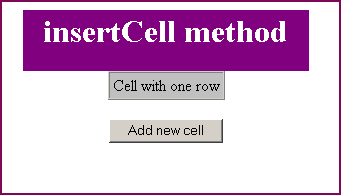
Click on the "Add new cell" button to add a new cell.

You can also download the full example code from the following link.