
J2ME Audio Record


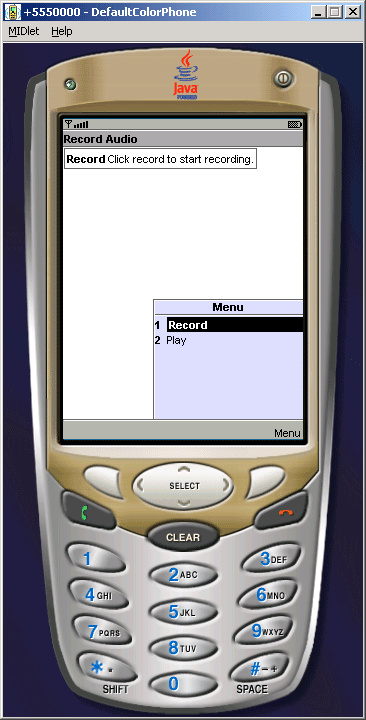
This example is used to record the audio sound and play the recorded sound. In this example we are trying to capture the audio sound and encoded into the pcm format, the source code is as follows:
| Player p = Manager.createPlayer("capture://audio?encoding=pcm"); |
In the whole application we try to show recording and playing of the audio, To play the audio sound we are using the following source code:
| Player p2 = Manager.createPlayer(recordedInputStream,"audio/basic"); |
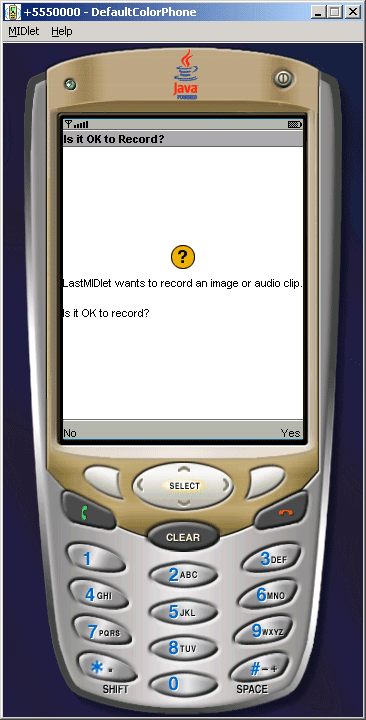
The Application is as follows:
RecordMIDlet.java
import java.io.*;
import javax.microedition.midlet.*;
import javax.microedition.lcdui.*;
import javax.microedition.media.*;
import javax.microedition.media.control.*;

public class RecordMIDlet extends MIDlet{
  public void startApp(){
  Display.getDisplay(this).setCurrent(new RecordForm());
  }

  public void pauseApp(){}

  public void destroyApp(boolean unconditional){}
}

class RecordForm extends Form implements CommandListener{
  private StringItem messageItem;
  private StringItem errorItem;
  private final Command recordCommand, playCommand;
  private Player p;
  private byte[] recordedSoundArray = null;

  public RecordForm(){
  super("Record Audio");
  messageItem = new StringItem("Record", "Click record to start recording.");
  this.append(messageItem);
  errorItem = new StringItem("", "");
  this.append(errorItem);
  recordCommand = new Command("Record", Command.SCREEN, 1);
  this.addCommand(recordCommand);
  playCommand = new Command("Play", Command.SCREEN, 2);
  this.addCommand(playCommand);
  StringBuffer inhalt = new StringBuffer();
  this.setCommandListener(this);
  }

  public void commandAction(Command comm, Displayable disp){
  if(comm==recordCommand){
  try{
  p = Manager.createPlayer("capture://audio?encoding=pcm");
  p.realize();
  RecordControl rc = (RecordControl)p.getControl("RecordControl");
  ByteArrayOutputStream output = new ByteArrayOutputStream();
  rc.setRecordStream(output);
  rc.startRecord();
  p.start();
  messageItem.setText("recording...");
  Thread.currentThread().sleep(5000);
  messageItem.setText("done!");
  rc.commit();
  recordedSoundArray = output.toByteArray();
  p.close();
  } catch (IOException ioe) {
  errorItem.setLabel("Error");
  errorItem.setText(ioe.toString());
  } catch (MediaException me) {
  errorItem.setLabel("Error");
  errorItem.setText(me.toString());
  } catch (InterruptedException ie) {
  errorItem.setLabel("Error");
  errorItem.setText(ie.toString());
  }
  } else if(comm == playCommand) {
  try {
  ByteArrayInputStream recordedInputStream = new ByteArrayInputStream(recordedSoundArray);
  Player p2 = Manager.createPlayer(recordedInputStream,"audio/basic");
  p2.prefetch();
  p2.start();
  }  catch (IOException ioe) {
  errorItem.setLabel("Error");
  errorItem.setText(ioe.toString());
  } catch (MediaException me) {
  errorItem.setLabel("Error");
  errorItem.setText(me.toString());
  }
  }
  }
}