Radio Button in J2ME


In this tutorial you will see the MIDlet Example that is going to
demonstrate, how to create the radio button in J2ME using MIDlet. The radio button is
use to choose only one option at a time. To create the radio button we are using
the EXCLUSIVE
keyword in our source code as follows:
| list = new List("Sex", List.EXCLUSIVE); |
This example will show the confirmation message (option selected by user),
once it'll get the selection from user.
The Application look like as follows:
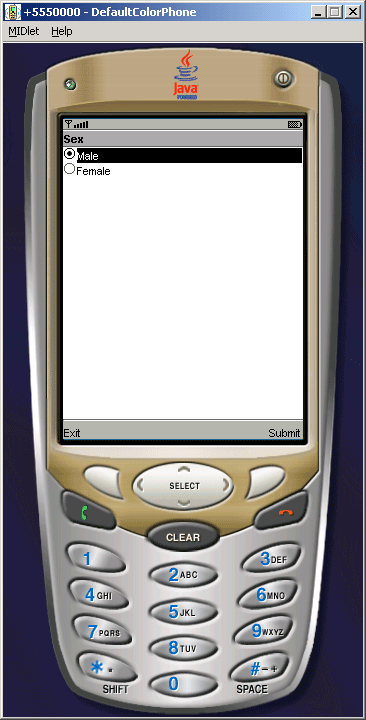
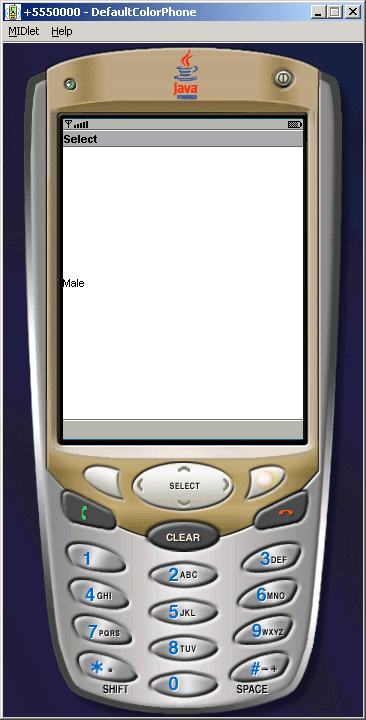
The Source code of RadioButton.java is as follows:
import javax.microedition.lcdui.*;

import javax.microedition.midlet.*;


public class RadioButton extends MIDlet implements CommandListener{

  private Display display;

  private Command exit, submit;

  private List list;


  public RadioButton(){

  exit = new Command("Exit", Command.EXIT, 1);

  submit = new Command("Submit", Command.SCREEN, 2);

  list = new List("Sex", List.EXCLUSIVE);

  }


  public void startApp(){

  display = Display.getDisplay(this);

  list.append("Male", null);

  list.append("Female", null);

  list.addCommand(exit);

  list.addCommand(submit);

  list.setCommandListener(this);

  display.setCurrent(list);

  }


  public void pauseApp(){}


  public void destroyApp(boolean unconditional){

  notifyDestroyed();

  }


  public void showMsg(){

  Alert alert = new Alert("Select",

list.getString(list.getSelectedIndex()), null, null);
  display.setCurrent(alert);

  list.removeCommand(submit);

  }


  public void commandAction(Command c, Displayable Displayable){

  String label = c.getLabel();

  if (label.equals("Submit")){

  showMsg();

  } else if (label.equals("Exit")){

  destroyApp(false);

  }

  }

}
|
Download Source Code

