Introduction to RCFaces


RCFaces is an abbreviation of Rich Client Faces, which is certainly a JSF Library and contain a set of components that helps in creating highly dynamic web application pages. It also uses AJAX and an object-oriented JavaScript API to build these web pages. In other words RCFaces can be used for creation next generation dynamic applications.
Hello World example in RCFaces
In this example we will illustrate you that how one can use the Rich Client Faces (RCFaces) tags within the JSF pages to make use of it. Before creating example we need some of the RCFaces jar files to be included into the class path and to be deployed with the web server. If you are not familiar with the working on the JSF then please first go through the JSF Examples because we are using RCFaces in the JSF page. You can follow these some basic steps to run first "Hello World" program:
Step-1: Download following RCFaces jar files as given below except jars as described in the JSF tutorials:
- rcfaces-core-I2249.jar
- rcfaces-html-I2249.jar
After downloading these jars place them in the /lib folder of your web server (e.g. Tomcat Server)
Step-2: Create a simple JavaServer Pages file HelloWorld.jsp
| <%@ page session="true" pageEncoding="UTF-8" contentType="text/html; charset=UTF-8" %> <%@ taglib uri="http://java.sun.com/jsf/html" prefix="h"%> <%@ taglib uri="http://java.sun.com/jsf/core" prefix="f"%> <%@ taglib uri="http://rcfaces.org/core" prefix="v"%> <%@ taglib uri="http://rcfaces.org/html" prefix="vh"%> <f:view> <html> <head> <vh:init /> </head> <h1> RCFaces Example </h1> <body> <v:text text="Hello World" /> </body> </html> </f:view> |
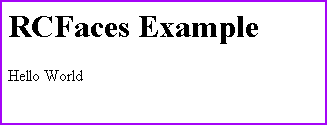
In this example we have used RCFaces core tag <v:text> to display "HelloWorld".
Step-3: Create web.xml deployment descriptor in the /WEB-INF directory
| <?xml version="1.0"?> <!DOCTYPE web-app PUBLIC "-//Sun Microsystems, Inc.//DTD Web Application 2.3//EN" "http://java.sun.com/dtd/web-app_2_3.dtd"> <web-app> <context-param> <param-name>javax.faces.STATE_SAVING_METHOD</param-name> <param-value>server</param-value> </context-param> <context-param> <param-name>javax.faces.CONFIG_FILES</param-name> <param-value>/WEB-INF/faces-config.xml</param-value> </context-param> <listener> <listener-class>com.sun.faces.config.ConfigureListener</listener-class> </listener> <!-- Faces Servlet --> <servlet> <servlet-name>Faces Servlet</servlet-name> <servlet-class>javax.faces.webapp.FacesServlet</servlet-class> <load-on-startup> 1 </load-on-startup> </servlet> <!-- Faces Servlet Mapping --> <servlet-mapping> <servlet-name>Faces Servlet</servlet-name> <url-pattern>*.jsf</url-pattern> </servlet-mapping> <servlet> <servlet-name>Rcfaces Framework Contents</servlet-name> <servlet-class>org.rcfaces.renderkit.html.internal.resource.ResourcesServlet</servlet-class> <init-param> <param-name>org.rcfaces.renderkit.html.javascript.sets.CORE</param-name> <param-value> basicComponent,message,extraButton,tree,dataGrid </param-value> </init-param> <load-on-startup>1</load-on-startup> </servlet> <servlet> <servlet-name> Rcfaces Application Contents </servlet-name> <servlet-class> org.rcfaces.core.internal.contentStorage.ContentStorageServlet </servlet-class> <load-on-startup>1</load-on-startup> </servlet> <servlet-mapping> <servlet-name> Rcfaces Framework Contents </servlet-name> <url-pattern>/rcfaces/*</url-pattern> </servlet-mapping> <servlet-mapping> <servlet-name> Rcfaces Application Contents </servlet-name> <url-pattern>/rc-content/*</url-pattern> </servlet-mapping> </web-app> |
Step-4: Create faces-config.xml file in the /WEB-INF directory
| <?xml version="1.0"?> <faces-config> </faces-config> |
Step-5: Type the URL for page HelloWorld.jsp into your localhost for example in our example we have typed the following URL in the address bar http://localhost:8080/RCFExample/HelloWorld.jsf
You will get the following output :