To draw a figure using drag and drop, we have used Rectangle2D class to draw a rectangle.

Mouse Drag and Drop


This section illustrates you how to drag and move mouse to draw a figure.
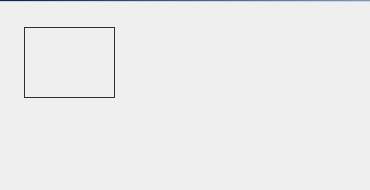
To draw a figure using drag and drop, we have used Rectangle2D class
to draw a rectangle. This rectangle has been shown on the frame. When you drag
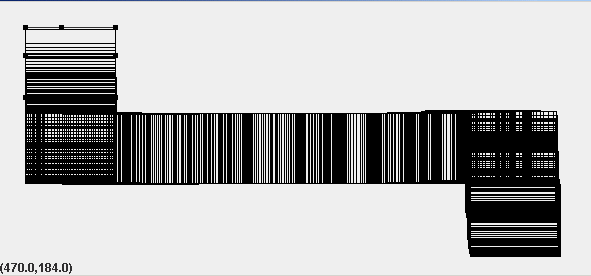
the rectangle and move, a number of figures will be drawn connected to each
other. The class MouseEvent provides different methods for mouse actions and all
the actions are to be performed by class MouseAdaptor and MouseMotionAdaptor.
To returns the horizontal x position of the event relative to the source
component, the method getX() is used and to return the vertical y
position of the event relative to the source component, getY() is used.
The method getBounds2D() returns the bounding box of this Rectangle2D.
To encapsulate the bitmap representation of the mouse cursor, class Cursor
is used. The method Double.toString() returns
the string representation of the double argument.
Here is the code of MouseDragAndDrop.java
import java.awt.*;

import javax.swing.*;

import java.awt.event.*;

import java.awt.geom.*;

import javax.swing.border.TitledBorder;


public class MouseDragAndDrop extends JFrame {

 Canvas1 canvas;

  JLabel label;


  public MouseDragAndDrop() {

  super();

  Container container = getContentPane();

  canvas = new Canvas1();

  container.add(canvas);

  JPanel panel = new JPanel();

  panel.setLayout(new GridLayout(1, 2));

  label = new JLabel("");

  panel.add(label);

  container.add(panel, BorderLayout.SOUTH);

  setSize(600,300);

  setVisible(true);

  }

  public static void main(String arg[]) {

  new MouseDragAndDrop();

  }

  class Canvas1 extends JPanel {

  double p, q, width, height;

  int p1, q1, p2, q2;

  Rectangle2D rect1,rect2;

  Rectangle2D rectangle;

  Cursor cursor;

  public Canvas1() {

  p = 25;

  q = 25;

  width = 90;

  height = 70;

  addMouseListener(new EventMouseListener());

  addMouseMotionListener(new EventMouseMotionListener());

  }

  public void paint(Graphics g) {

  Graphics2D g2 = (Graphics2D) g;

  rect1 = new Rectangle2D.Double(p, q, width, height);

  g2.draw(rect1);

  if (rectangle != null) {

  drawSquares(g2, rectangle);

  }

  if (cursor != null)

  setCursor(cursor);

  }

  public void drawSquares(Graphics2D g2, Rectangle2D rect) {

  double p = rect.getX();

  double q = rect.getY();

  double width = rect.getWidth();

  double height = rect.getHeight();

  g2.setColor(Color.black);

  }

 class EventMouseListener extends MouseAdapter {

  public void mousePressed(MouseEvent event) {

  rect2 = rect1;

  rectangle = rect1.getBounds2D();

  display(rect2);

  p1 = event.getX();

  q1 = event.getY();

  }

  public void mouseReleased(MouseEvent event) {

  rectangle = rect1.getBounds2D();

  rect2 = rect1;

  display(rect2);

 }

  public void mouseClicked(MouseEvent event) {

  rect2 = rect1;

  rectangle = rect1.getBounds2D();

  display(rect2);

  }

 }

  class EventMouseMotionListener extends MouseMotionAdapter {

  public void mouseDragged(MouseEvent event) {

  if (rect1.contains(event.getX(), event.getY())) {

  rectangle = null;

  rect2 = rect1;

  p2 = event.getX();

  q2 = event.getY();

  p = p + p2 - p1;

  q = q + q2 - q1;

  p1 = p2;

  q1 = q2;

  }

  if (rect2 != null)

  display(rect2);

  canvas.repaint();

  }

  public void mouseMoved(MouseEvent event) {

 cursor = Cursor.getPredefinedCursor(Cursor.HAND_CURSOR);

 }

  }

  public void display(Shape shape) {

  double p = rect2.getX();

  double q = rect2.getY();

  double width= rect2.getWidth();

  double height = rect2.getHeight();

  String st = "(" + Double.toString(p)+","+Double.toString(q) + ")";

  String sizeString = "(" + Double.toString(width) + ","+

          Double.toString(height) + ")";

  label.setText(st);

  }

  }

}
|
Output will be displayed as:
When you drag the rectangle and move, output will be displayed as:
Download Source Code

