
an example that display image in Java application.
Display Image in Java


This example takes an image from the system and displays it on a frame using ImageIO class. User enters the name of the image using the command prompt and then the program displays the same image on the frame. The image is read from the system by using ImageIO.read(File file) method.
The methods used in this example are:.
drawImage(Image img,int x,int y,ImageObserver observer): This
method is used to draw an image. The image is drawn at the top-left corner at (x, y)
coordinates in this graphics context's coordinate space
setSize(int height , int width): Use this method to set the size of
the frame.
setVisible(boolean b): Pass the boolean value as true to display the
image or Vice-Versa. Here we are passing the boolean value as true to
display the image on the frame.
getContentPane(): This method gets the content pane in which our GUI
component will be added.
Code deacription:
In this example first we imports the required packages. Then create a
class named ShowImage that extends the Panel class. Now declare a variable
of BufferedImage class. Constructor ShowImage() recieves the name
of the image passed at the command prompt in the BufferedReader object and
reads the image from the system. Use paint() method to draw the image.
Create a frame and an object of ShowImage in the main method. Add this
object into content pane, set the size of the frame and define the visibility
mode as true to display the image on the frame.
Here is the code of the program :
import java.awt.*;
|
Input on dos Prompts :
C:\image>javac ShowImage.java C:\image>java ShowImage Enter image name rajeshxml2.gif |
Input image:rajeshxml2.gif
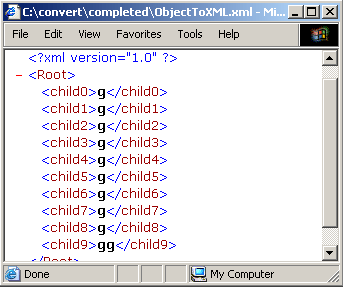
Output of The Example:
