PHP GD Captcha Refersh
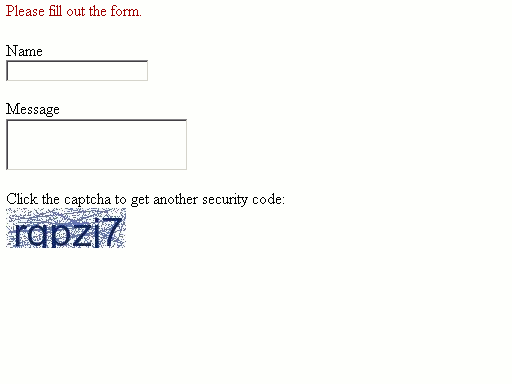
In this example we will see how to refresh captcha image in php gd.
In this example we will see how to refresh captcha image in php gd.index.php
<?php
session_start();
if
(isset($_POST['submit_x']) && isset($_POST['submit_y'])) {}
}
else {}
}
?>
<!
DOCTYPE html PUBLIC "-//W3C//DTD XHTML 1.0 Transitional//EN" "http://www.w3.org/TR/xhtml1/DTD/xhtml1-transitional.dtd"><
html xmlns="http://www.w3.org/1999/xhtml"><
head><
meta http-equiv="Content-Type" content="text/html; charset=utf-8" /><
title>Captcha</title></
head><
body><?php
if(!empty($result)) echo "<div style='color:#990000; margin-bottom: 20px;'>" . $result . "</div>"; ?><
form action="<?php echo $_SERVER['PHP_SELF']; ?>" method="post" enctype="multipart/form-data"> <p>Name<br/><input type="text" name="name" /></p> <p>Message<br/><textarea name="message"></textarea></p>Click the captcha to get another security code:
<br/> <input type='image' name='submit' src='captcha.php' alt='Captcha Security Image' /></
form></
body></
html>This page is saved as index.php
captcha.php
<?php
session_start();
class
CaptchaSecurityImages {}
}
function CaptchaSecurityImages($width='320',$height='40',$characters='6') {imagefilledellipse(
$image, mt_rand(0,$width), mt_rand(0,$height), 1, 1, $noise_color);}
imageline(
$image, mt_rand(0,$width), mt_rand(0,$height), mt_rand(0,$width), mt_rand(0,$height), $noise_color);}
imagettftext(
$image, $font_size, 0, $x, $y, $text_color, $this->font , $code) or die('Error in imagettftext function');header(
'Content-Type: image/jpeg');imagejpeg(
$image);imagedestroy(
$image); $_SESSION['security_code'] = $code;}
}
$width
= isset($_GET['width']) && $_GET['width'] < 600 ? $_GET['width'] : '120';$height
= isset($_GET['height']) && $_GET['height'] < 200 ? $_GET['height'] : '40';$characters
= isset($_GET['characters']) && $_GET['characters'] > 2 ? $_GET['characters'] : '6';$captcha
= new CaptchaSecurityImages($width,$height,$characters);?>
After running the program you will get the following output