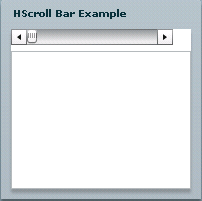
Flex scrollbar control
In this tutorial we have illustrate how to create scrollbar in flex
In this tutorial we have illustrate how to create scrollbar in flexFlex ScrollBar Control:-
If the user handles data that are displayed but data is too much and not fit in the display area then the user use ScrollBar to scroll the data. There are two type of scroll bar in flex, one is HScrollBar and second is VScroll Bar. If you want to scroll the data in horizontal direction use HScrollBar and use <mx:HScrollBar>tag and if you want to scroll data in vertical direction then use VScrollBar and use <mx:VScrollBar>tag in flex. These controls are stand alone controls. The User can use these controls with other controls. The position of the thumb and display the button depends on the current state of the ScrollBar controls. If user
Example for HScrollBar:-
<?xml version="1.0"?>
<mx:Application
xmlns:mx="http://www.adobe.com/2006/mxml" layout="vertical"> <mx:Script><![CDATA[
import mx.events.ScrollEvent; private function Scrollvalue(event:ScrollEvent):void {showPosition.text =
"Current scroll position: " +event.currentTarget.scrollPosition;
}
]]>
</mx:Script> <mx:Panel width="200" height="200" title="HScroll Bar Example">id="
hsbar"width="
90%"minScrollPosition="
0"maxScrollPosition="
{this.width - 50}"lineScrollSize="
50"pageScrollSize="
100"scroll="Scrollvalue(event);"
/> <mx:TextArea id="showPosition" height="100%" width="100%" color="red"/></mx:Application>
Example for VScrollBar:-
<?xml version="1.0"?>
<mx:Application
xmlns:mx="http://www.adobe.com/2006/mxml" layout="vertical"> <mx:Script><![CDATA[
import mx.events.ScrollEvent; private function Scrollvalue(event:ScrollEvent):void {showPosition.text =
"Current scroll position: " +event.currentTarget.scrollPosition;
}
]]>
</mx:Script> <mx:Panel width="200" height="200" title="VScroll Bar Example">id="
bar"height="
90%"minScrollPosition="
0"maxScrollPosition="
{this.width - 50}"lineScrollSize="
50"pageScrollSize="
100"scroll="Scrollvalue(event);"
/> <mx:TextArea id="showPosition" height="100%" width="100%" color="red"/></mx:Application>
You can set the property for these ScrollBar controls. for example you can set minScroll Position that define the minimum value for the scrollbar and set maxScrollPosition that is define the maximum value for the scroll bar and set the line scroll size and set the events. In this example you can see how to find the current value of the ScrollBar.
Output for VscrollBar:-
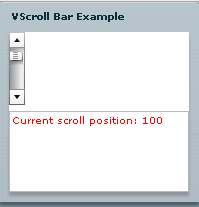
Output for HScrollBar:-