
Application Using JAX-RPC


Solution
- Develop web project
- In it create an interface using JAX-RPC
- Create a web service to implement above interface
- Build the project.
- Deploy the project.
- Test the web service.
- Develop a Web Client
Create a web project
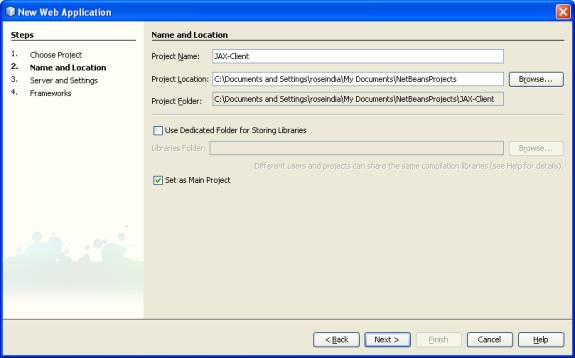
- Take a new Project
- Select Web Application as given below in Figuer1.
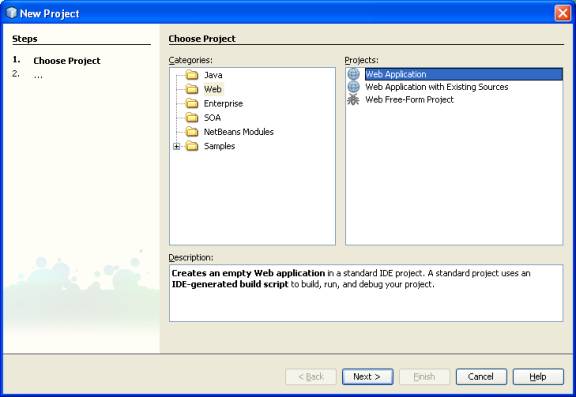
Figuer. 1
- Give the name of the Project as Jax-RPC as shown in given below
in Figuer.2
- Click on Next
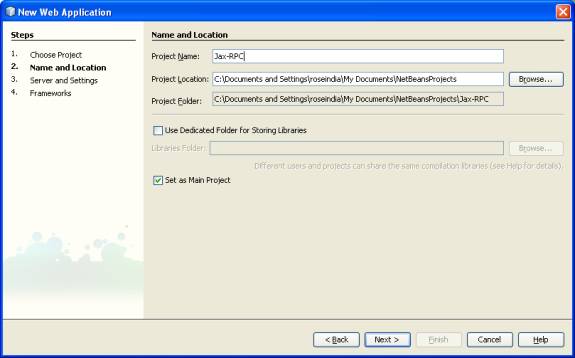
Figuer 2
- Select the Server name as GlassFish
- Click on Next button. As shown below in Figuer 3.
- Click on Finish Button .
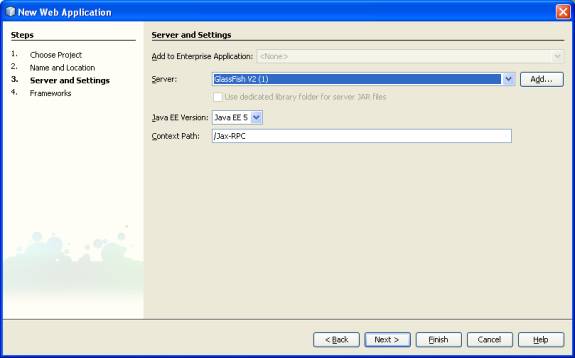
Figuer 3
Create an interface
- Make a Jax-RPC interface
- Right Click on the Project.
- Select java->java interface
- Click on the next as shown in Figuer 4 given below
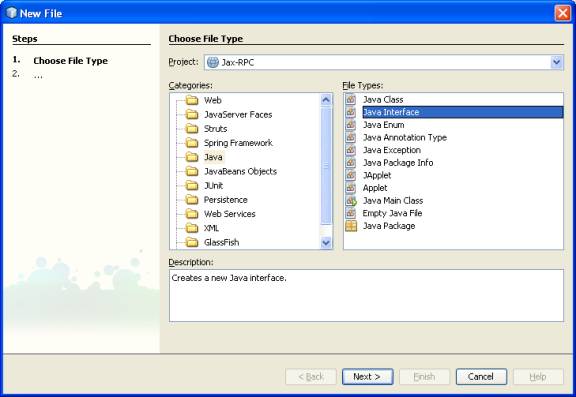
Figuer. 4
- In the given wizard give the name of the interface
- Type JAX1 in class name.
- Click on the Next Button as shown in Figuer 5 given below
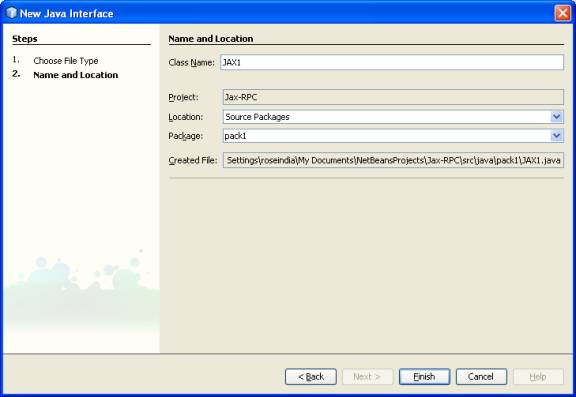
Figuer 5
- Click on the Finish Button as shown in Figuer 5
- It generates a interface named JAX1
- Add an operation name interest in it.
- Also add @WebService and @SOAPBinding annotation
package pack1;
import javax.jws.WebService;
import javax.jws.soap.SOAPBinding;
/**
*
* @author roseindia
*/
@WebService
@SOAPBinding(style=SOAPBinding.Style.RPC)
public interface JAX1 {
public int interest(int amount,int time,int rate);
}
- After Creating Inteface now make a web service program
- Right Click and select NewàWeb Service as given below in Figuer 6
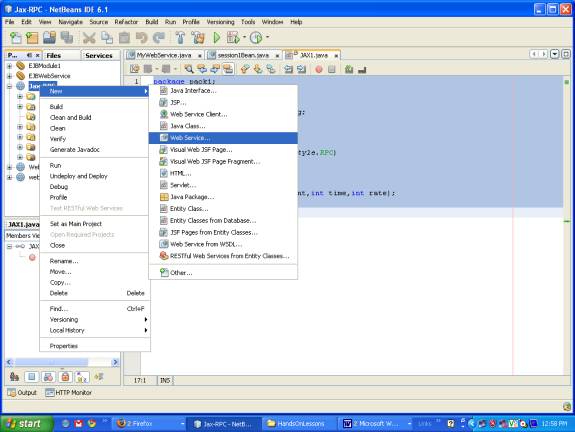
Figuer 6
- Give the name of the Web Sevice as JAXImpl
- Give the package name as pack1
- Click on The Next button as shown in Figuer 7 below
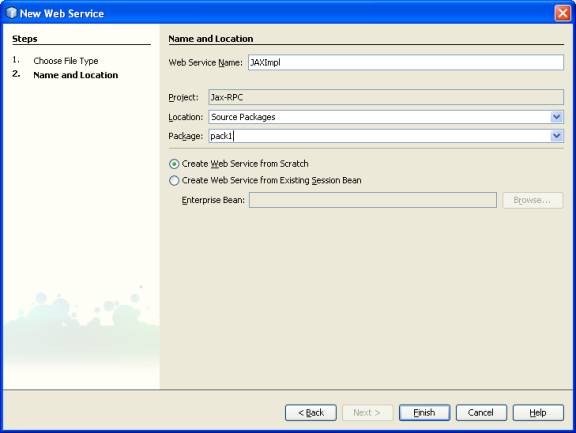
Figuer. 7
- Click on Finish
- It will generates the Web Service in design view
- Click on the source view
- In it implements the interface JAX1 as shown below
package pack1;
import javax.jws.WebService;
@WebService(endpointInterface="JAX1")
public class JAXImpl implements JAX1{
public int interest(int amount, int time, int rate) {
return ((amount*time*rate)/100);
}
}
- Now build the project
- After building, deploy it on the server as shown below in Figuer 8.
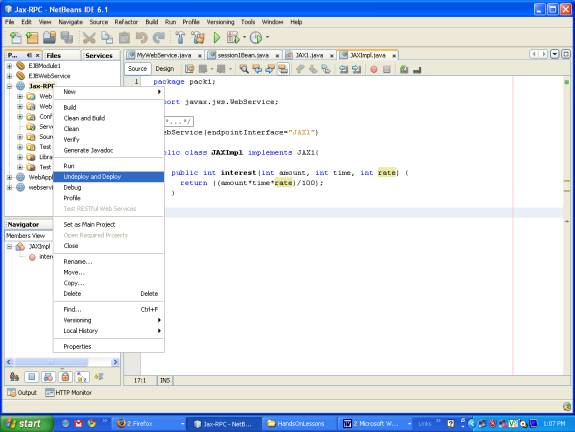
Now we can test our Web Service
Right Click on the Web Service JaxImpl
Select Test Web Service operation as shown below in Figuer. 8
0
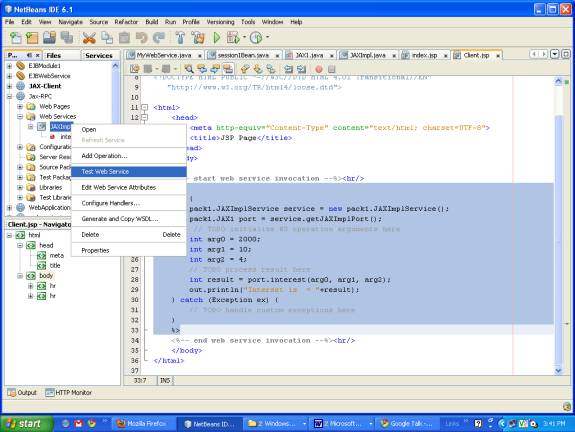
Figuer 8
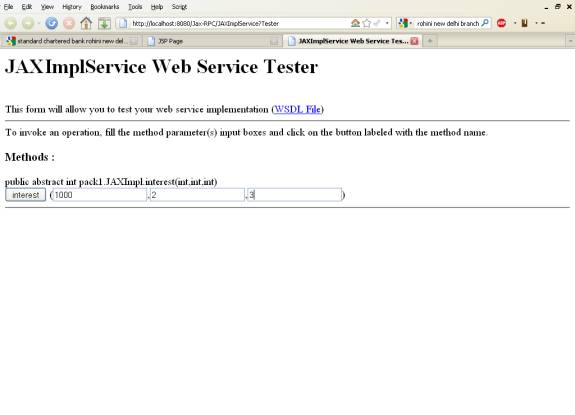
- It will open the browser with the url
http://localhost:8080/Jax-RPC/JAXImplService?Tester 1
- Give the values in three text boxes for amount, rate and time respectively
- Click on interest Button as shown in below in Figuer 9.
 2
2
 3
3
 4
4
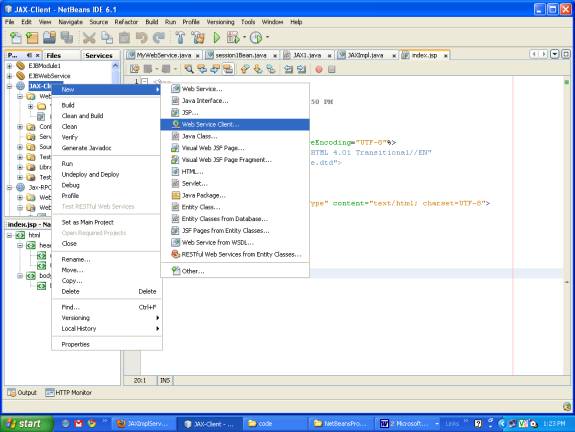
<%
try {
pack1.JAXImplService service = new pack1.JAXImplService();
pack1.JAX1 port = service.getJAXImplPort();
// TODO initialize WS operation arguments here
int arg0 = 2000;
int arg1 = 10;
int arg2 = 4;
// TODO process result here
int result = port.interest(arg0, arg1, arg2);
out.println("Interset is = "+result);
} catch (Exception ex) {
// TODO handle custom exceptions here
}
%>
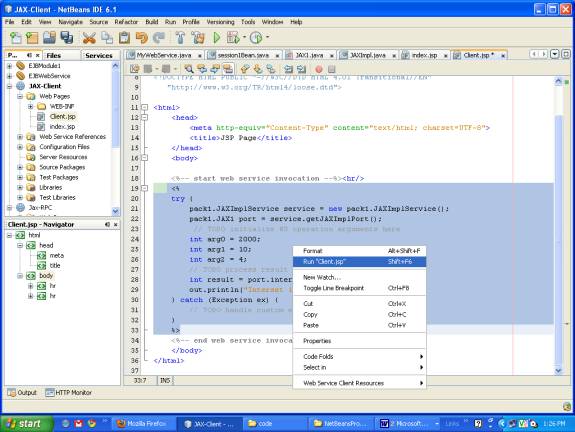
 5
5
