Java Servlet : Get URI Example
In this section, we will discuss about the getRequestURI() method of the request object.
In this section, we will discuss about the getRequestURI() method of the request object.Java Servlet : Get URI Example
In this section, we will discuss about the getRequestURI() method of the request object.
getRequestURI :
getRequestURI() method is used to display the information of the URI of current page from the URL. It returns some part of requested URL from protocol name up to the query string in the first line of the HTTP request.
Example : In this example we are using getRequestURI() method to get information of the URI of current page from the URL
GetURIExample.java
package net.roseindia;

import java.io.*;
import javax.servlet.*;
import javax.servlet.http.*;

public class GetURIExample extends HttpServlet {
	public void doGet(HttpServletRequest request, HttpServletResponse response)
			throws ServletException, IOException {
		response.setContentType("text/html");
		PrintWriter out = response.getWriter();

		out.println("URI Information : " + request.getRequestURI());

	}
}
web.xml -
<?xml version="1.0" encoding="UTF-8"?>
<web-app xmlns:xsi="http://www.w3.org/2001/XMLSchema-instance" xmlns="http://java.sun.com/xml/ns/javaee" xmlns:web="http://java.sun.com/xml/ns/javaee/web-app_2_5.xsd" xsi:schemaLocation="http://java.sun.com/xml/ns/javaee http://java.sun.com/xml/ns/javaee/web-app_2_5.xsd" id="WebApp_ID" version="2.5">
<display-name>ServletExample</display-name>

<!--GetURL servlet mapping-->

<servlet>
<servlet-name>GetURIExample</servlet-name>
<servlet-class>net.roseindia.GetURIExample</servlet-class>
</servlet>
<servlet-mapping>
<servlet-name>GetURIExample</servlet-name>
<url-pattern>/getURIExample</url-pattern>
</servlet-mapping>
<welcome-file-list>
<welcome-file>index.jsp</welcome-file>

</welcome-file-list>
</web-app>
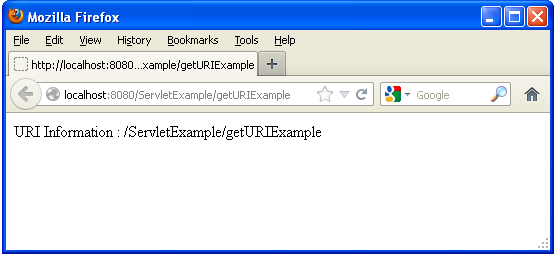
Output :